Help Documents
- Overview
- Hardware requirements
- Operating Systems
- Supported file systems
- Supported storage devices
- Install and uninstall
- Edition comparison
- File zip
- File sync
- Filters
- Check disk image
- Check file image
- Mount backup point
- Full backup
- Incremental backup
- Differential backup
- Edit backup
- Delete backup
- Delete image
- File sync
- Move/resize
- Create partition
- Format
- Partition recovery
- Surface test
- Align partition
- Change Volume Label
- Change Serial Number
- Change Cluster Size
- Check File System
- Rebuild MBR
- Wipe data
- More
Partition recovery
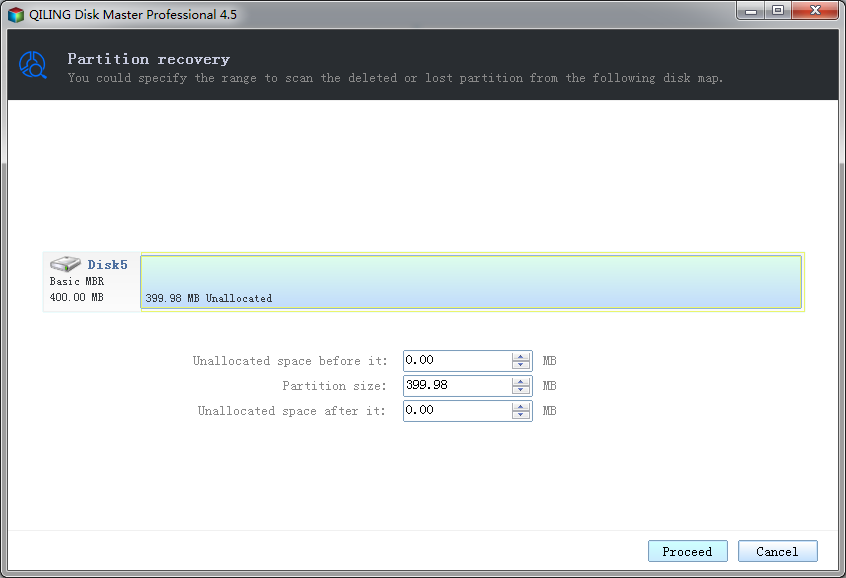
This function can recover lost/deleted partitions. And it can recover lost data at the same time as long as new partition hasn't been created.
Select unallocated space -> choose 'Partition recovery' option from the Disk management page.
- You can drag either end of the blue bar or enter values in the text boxes below to set the size and location of the scanning range.
- Click Proceed to execute scanning.
- Click Cancel to cancel the operation.
- You must select needed lost/deleted partitions to recovery, if you need it.
- Click Recovery to execute recovery the lost/deleted partition.