Free SanDisk Recovery Software Recovers Lost Sandisk Data
If you're looking for a way to recover lost data from a SanDisk device, consider using professional data recovery software. This type of software is designed to help you retrieve your data, even if it's been deleted or lost due to various reasons. It can scan your device, identify the lost data, and recover it for you.
Overview - Everything About SanDisk Storage Devices
SanDisk, an American company, produces SD cards, USB drives, and other products, using flash memory in a standardized enclosure, with the format specified and produced by SanDisk in 1994, now used in various devices like cameras, music players, and more.
Why Is SanDisk Data Recovery Possible
Data loss can occur due to deleting, formatting, or RAW errors on SanDisk memory cards or USB drives, resulting in lost photos or other files. In such cases, users may wonder if SanDisk recovery is possible, hoping to retrieve their lost data.
Yes, files won't be permanently deleted when they disappear due to unexpected accidents. Instead, the system deletes the entries to the files, marking the area of memory card or USB drive as "ready for new files".
5 Best Sandisk Recovery Software for Pen Drive/SD Card/HDD
You can stop using the Sandisk SD card or USB and instead use a reliable SanDisk hard drive data recovery program to retrieve your data. There are 5 best SanDisk data recovery software options available, which you can view below for more details.
| Product Name | Recover My Files | Recuva | Disk Drill | Stellar Data Recovery | Deep Data Recovery |
|---|---|---|---|---|---|
| Scanning Time | 1h | > 1h | > 1h | 37min | 27min |
| Files Found | 321,297 files | 111,213 files | 2,254 files | 414,170 files | 784,741 files |
| File Size | 13.80GB | no size is shown | 1.92GB | 19.84GB | 38.53GB |
Top 1. Deep Data Recovery
We recommend Deep Data Recovery, a professional and user-friendly data recovery software that can retrieve data from various storage devices. It is fully compatible with all Windows 10/8/7 operating systems and requires no technical expertise or experience.
This file recovery software has lots of highlights:
Supported Brands:
Recovers data from various brands of memory cards, including SanDisk, Lexar, Sony, PNY, Transcend, and Samsung, among others.
Supported File Types:
This software recovers all types of lost files, including photos, documents, videos, audio, emails, compressed files, and over 1000 other types of file types.
Supported Situations:
Accidentally deleted files can be recovered using various methods, including formatted recovery, emptied recycle bin recovery, lost partition recovery, virus attack recovery, OS crash recovery, and RAW partition recovery, among others.
Supported Devices:
Data recovery software can restore data from a variety of devices, including PCs and laptops, USB flash drives, hard disk drives (HDDs), solid state drives (SSDs), external hard drives, camcorders, compact flash (CF) cards, secure digital (SD) cards, RAID systems, micro cards, and more.
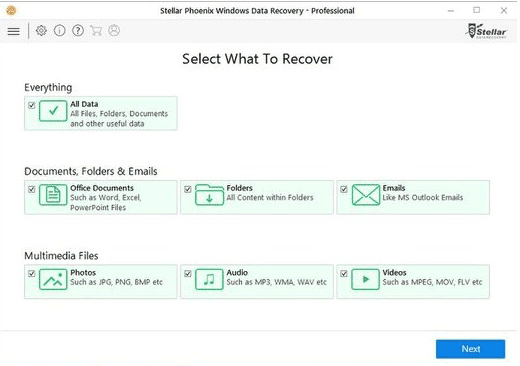
Top 2. Stellar Data Recovery
Stellar Data Recovery is a comprehensive data recovery software that offers various features, including undeleting lost photos and media from damaged memory cards, recovering different video and audio file formats from hard drives, creating an image of the entire storage device to save data from good sectors, and supporting RAW file recovery based on file signature recognition.
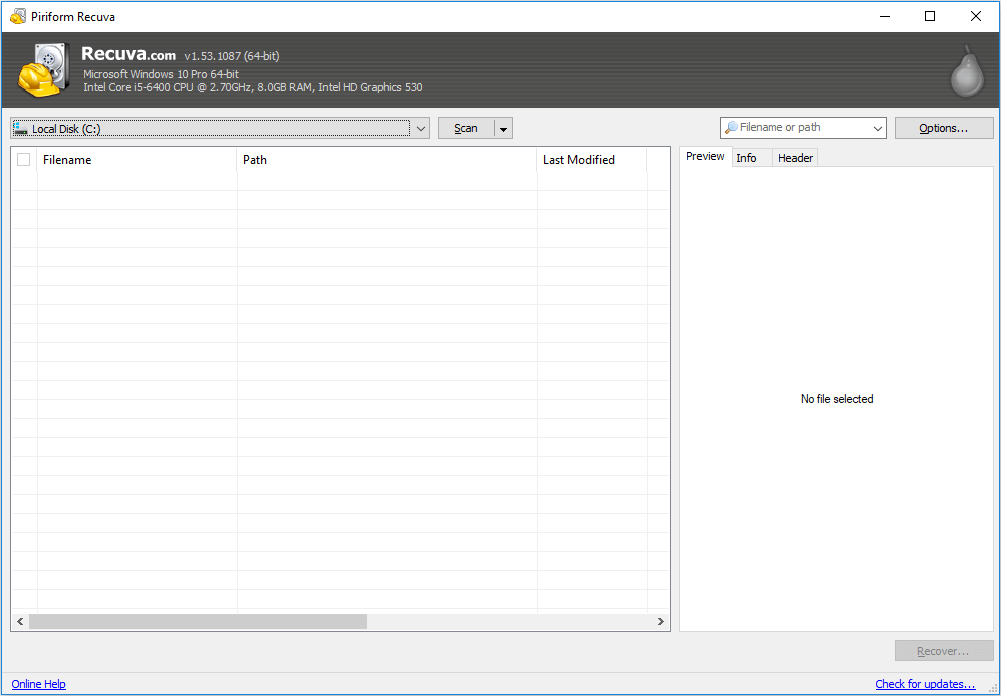
Top 3. Recuva
If you've accidentally deleted a crucial file or lost files due to a computer crash, Recuva can help rescue your data. This reliable data recovery tool can recover files from your Windows computer, recycle bin, digital camera card, or MP3 player, making it a go-to solution for SanDisk recovery, SD card recovery, and pen drive data recovery.
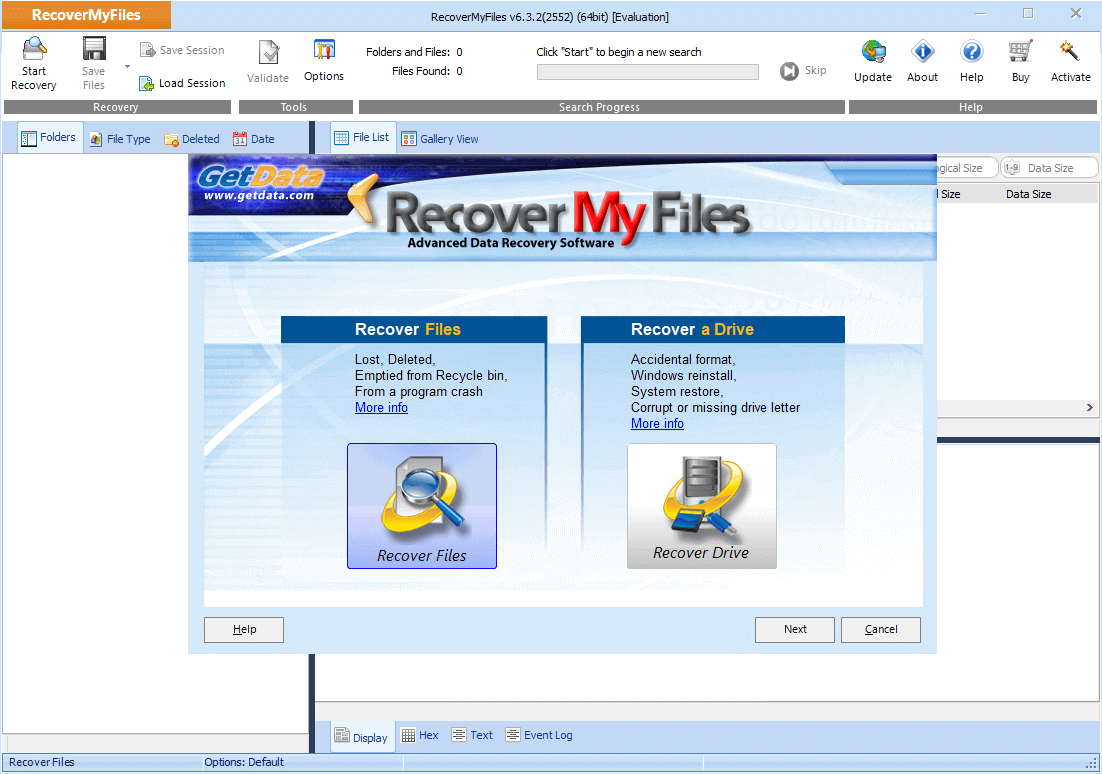
Top 4. Recover My Files
Recover My Files is a data recovery tool that uses a simple process to help users recover lost data from any storage device.
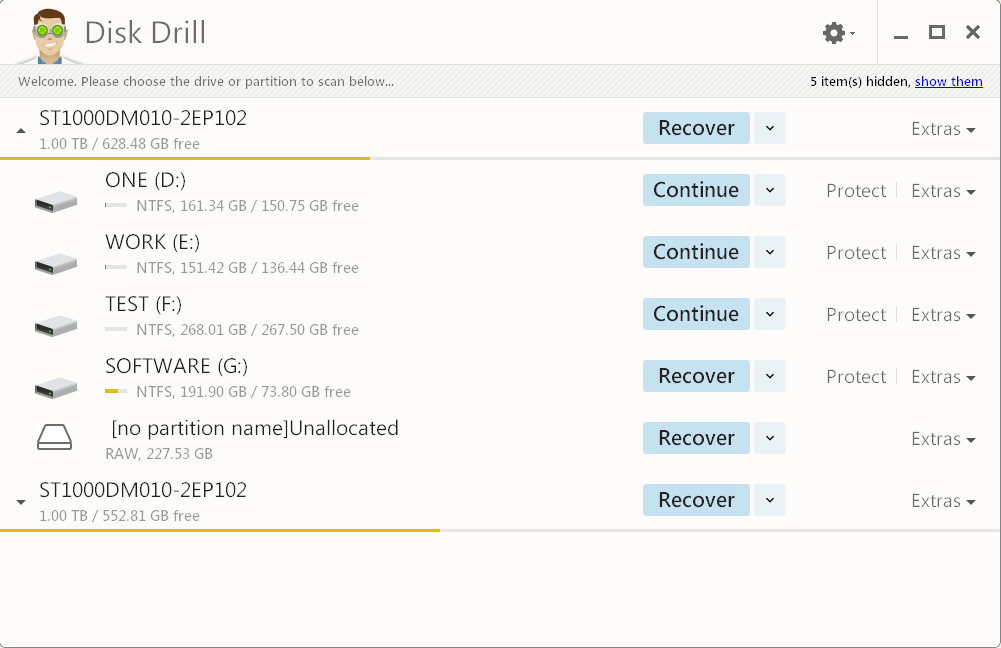
Top 5. Disk Drill
Disk Drill, a professional data recovery program developed by CleverFiles, is able to scan both external and internal storage devices, making it a competitive tool in the field of data recovery, and can also be used when you lose important data from any storage device.
How to Recover Data with Sandisk Data Recovery Software
To recover data from a SanDisk card or USB, download and install the software, then connect the device to your PC. You can recover up to 500MB of data for free, or share the software on social media to expand the limit to 2GB. If you need to recover more data, upgrade to the trial version of Deep Data Recovery, and follow the instructions to undelete your SanDisk data.
Step 1. Select the file types to start
- Download and install Deep Data Recovery on your Windows PC.
- To properly connect your SanDisk/Lexar/Transcend SD card to your computer, you should use the official card reader provided by the manufacturer or a compatible card reader. Do not insert the SD card directly into the computer's USB port, as this can cause damage to the card or the computer. Instead, insert the SD card into the card reader, and then connect the card reader to the computer using a USB cable.
- Open Qiling SD card recovery software. Select file types and click "Fast Scan".
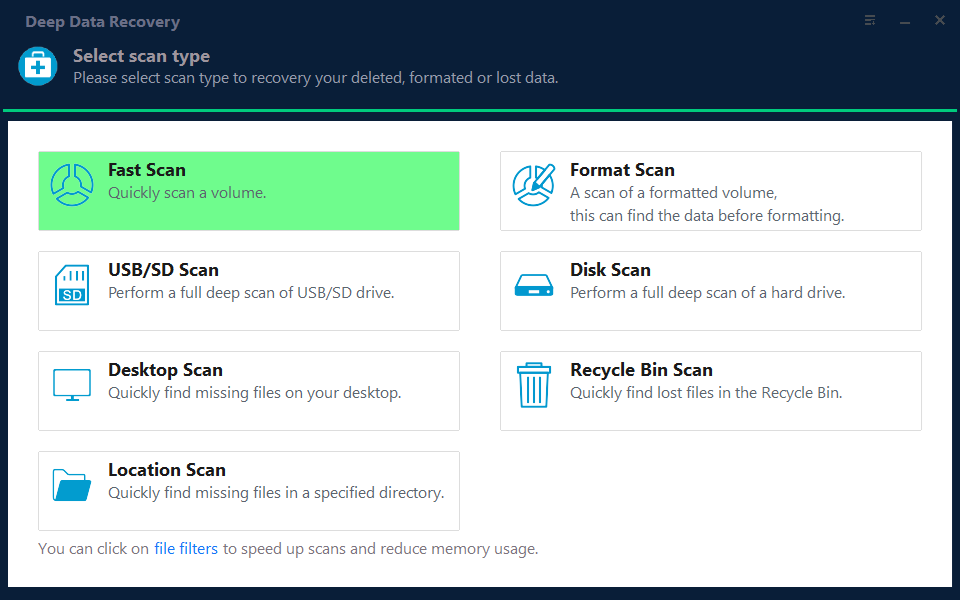
Note: You can choose different search modes based on where and why the data was lost.
Step 2. Select the SD card to scan
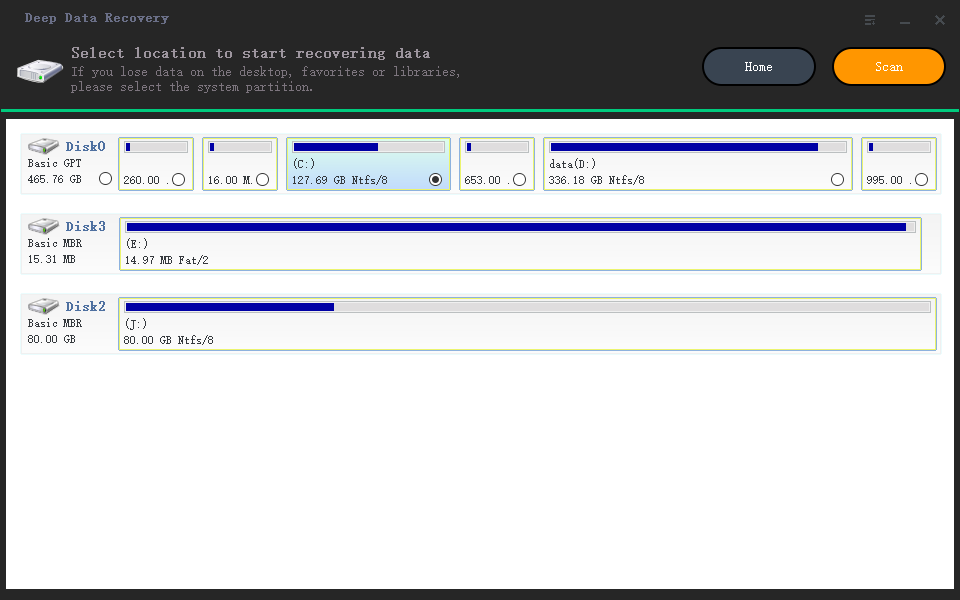
- In the next window, all connected drives will be displayed, and you should select your SD card and click "Scan".
Step 3. Check for scan results
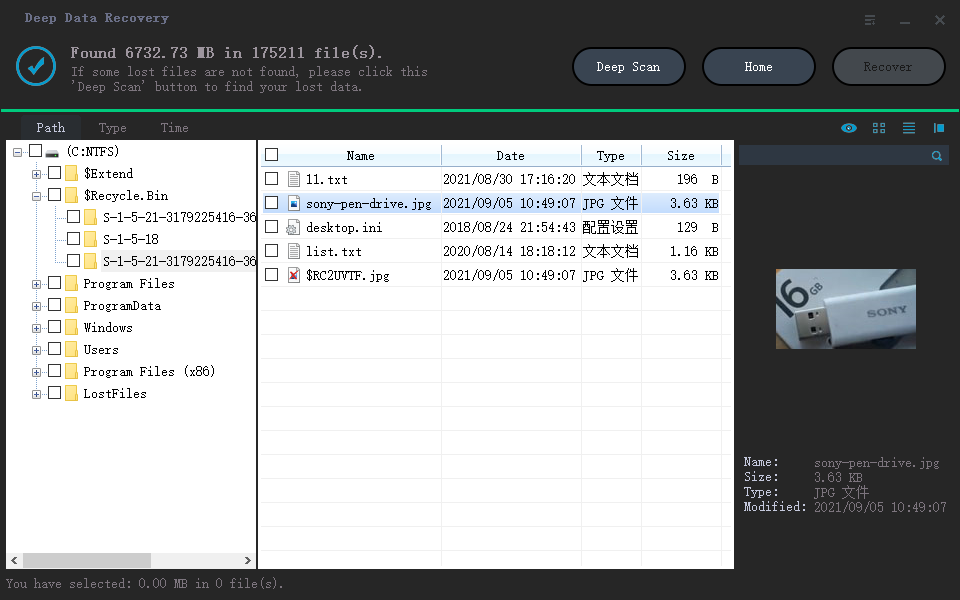
- Wait for the scanning process to complete.
- Click "Filter" and select the desired file types, such as Pictures, Word, Excel, PDF, Videos, etc., to display in the search results.
- Click "Preview" to check if they are the wanted files.
Step 4. Recover SD card data
- Choose desired files and click "Recover".
- To avoid overwriting the original data, it's recommended to save the recovered files to a different location, such as the computer's hard drive or an external storage device. This will allow for a safe and organized review of the recovered files, without risking any potential data loss or corruption.
Conclusion
SanDisk recovery software can be used to recover deleted or lost files from SanDisk devices such as pen drives, memory cards, memory sticks, memory stick pro duo, USB drives, and SanDisk Cruzer. Qiling SanDisk data recovery software can also recover deleted photos from a SanDisk SD Card and retrieve lost files from a formatted or damaged SanDisk, making it a useful tool to rescue your SanDisk data as soon as possible.
SanDisk SD Card Recovery Frequently Asked Questions
Here are some related questions about SanDisk file recovery. You can read on if you still have doubts.
What is the best SD card recovery software?
5 Best Sandisk Recovery Software - Our Picks:
- Deep Data Recovery
- Stellar Data Recovery
- Recuva
- Recover My Files
- Disk Drill
Qiling SanDisk recovery software is highly effective in restoring lost SanDisk files, photos, and documents, making it a top choice among users for its ease and speed of recovery.
How can I recover data from SanDisk?
To recover data from SanDisk SD card:
Step 1. Run a recovery software on the SanDisk SD card to scan it for any recoverable data.
Step 2. Find and preview SanDisk SD card files.
Step 3. Recover lost SanDisk files.
How can I recover data from SanDisk Cruzer?
Follow the next simple solution to perform SanDisk Cruzer recovery.
Step 1. Run USB data recovery software.
Step 2. Scan all lost files from USB.
Step 3. Restore all lost files from USB.
Related Articles
- Synology Data Recovery: How to Recover Deleted Files from Synology NAS Device
- How to Fix The Directory Name Is Invalid in Windows 10/11
- How to Create, Find and Watch Valorant Replays 2022
- Top 10 Best Free Data Recovery Software for Windows 11
- How to Recover Deleted Call Recordings from SD Card/Memory Card
To recover deleted call recordings from an SD card or memory card, follow these steps: first, stop using the card to prevent overwriting of data; next, download and install a reliable data recovery software such as Deep Data Recovery; then, connect the SD card to your computer. - How to Recover Deleted Emails in Thunderbird
5 ways to recover deleted emails in Thunderbird are introduced here to help you learn how to recover deleted emails in Thunderbird, covering all the possible and useful ways. 1.
Products
Articles & Tutorials
- Data Recovery
- Data Backup
- File Recovery
- File Backup
- System Backup and Restore
- Disk and Partition Clone
- Technical articles
- Mobile articles
- Disk Master Help
- Windows Data Recovery Tutorials
- Windows Secure Delete Tutorials
- Windows Partition Management Tutorials
- Windows File Backup and Restore Tutorials
- Windows System Backup and Restore Tutorials
- Windows Disk Backup and Restore Tutorials
- Windows Clone Tutorials