Top 10 Best Free Data Recovery Software for Windows 11
Windows 11 brings a refreshed system design and new features. Some users may have lost data due to accidental deletion, formatting, or other scenarios after upgrading or using the new system.
Looking for free file recovery software to retrieve lost data? We've can help! In this post, we've compiled a list of the 10 best free data recovery software for Windows 11.
Why Do We Choose These Data Recovery Tools?
We chose these free data recovery solutions because they meet certain criteria. The top list was curated by considering factors such as.
Features
When choosing a data recovery tool, it's essential to compare its features and technical specifications to differentiate it from competing products. By learning about the software's applications, you can discover whether it runs on your operating system and supports all commonly used file systems, helping you make an informed decision.
Price
We are looking for a free data recovery tool that can make data recovery easy and fast in Windows 11. But some tools have limitations on the amount of data.
Versatility
Our goal is to evaluate popular Windows 11 free data recovery solutions to see if versatility is a reliable indicator of quality, making informed decisions about which ones are worth using.
Popularity
The popularity of a data recovery tool can be an indicator of its usefulness, so we aim to identify the most popular recovery tools to see if their popularity is justified.
What Is The Best Free Data Recovery Software for Windows 11?
After evaluating dozens of deleted file recovery programs, we've narrowed them down to just 10, which we'll put through their paces in a series of real-life tests. To get an overview, we've put together the top 5 tools in a comparison table, considering factors such as effectiveness, user-friendliness, and cost. Join us and take a quick look at these factors.
| Comparison | Deep Data Recovery | Stellar | Ontrack EasyRecovery | Disk Drill | Wise Data Recovery |
|---|---|---|---|---|---|
| Free Version | 2GB | 1GB | 1GB | 500MB | Unlimited |
| Pro Version Price | $69.95 | $89.99 | $79 | $89 | $44.96 |
| Features | Best overall | Trustable choice | Highly-rated | Reputable brand | Wise choice |
| Platforms | Windows/Mac | Windows/Mac | Windows/Mac | Windows/Mac | Windows only |
| Easy-to-use | Yes | Yes | Yes | Yes | Yes |
Top 10 Windows 11 Free Data Recovery Software
After identifying solutions that fit our criteria, you can read the detailed information below to see if they are the ones you are looking for.
- 1. Deep Data Recovery
- 2. Stellar Data Recovery
- 3. Ontrack EasyRecovery
- 4. Disk Drill
- 5. Wise Data Recovery
- 6. Remo Recover
- 7. R-studio
- 8. Windows File Recovery
- 9. Puran Files Recovery
- 10. Recuva
Top 1. Deep Data Recovery (Windows & Mac)
Deep Data Recovery Free is a top-notch free data recovery tool for Windows and Mac that allows users to recover data from various storage devices, including hard drives, SSDs, SD cards, and USB flash drives, with just a few clicks. This software is considered the best free data recovery solution for Windows 11 due to its ease of use and effectiveness.
Qiling Free Data Recovery Tool
- Recover Windows 11 deleted data, formatted data, or other data with simple steps. With the right tools and techniques, you can retrieve your lost files and folders, even after a system crash, formatting, or deletion.
- Get back deleted files including photos, audio, music, videos, and emails from any storage easily with this tool.
- Data recovery software can support recovery from various storage devices, including the recycle bin, hard drives, memory cards, flash drives, and digital cameras, among others.
Pros:
- Easy to use
- Excellent data recovery results
- Support corrupted photo repair
- The Windows version can recover 2GB for free
Cons:
- Doesn't support Linux
Top 2. Stellar Data Recovery (Windows & Mac)
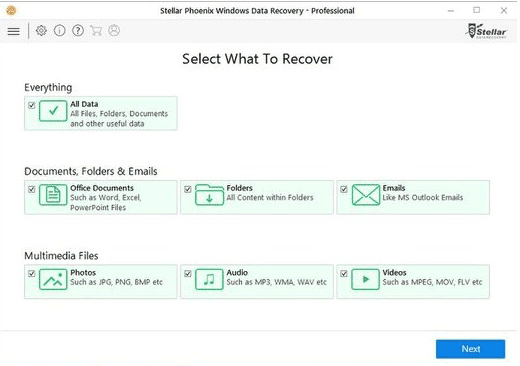
Stellar Data Recovery is a multi-purpose data recovery application that can restore files from Windows and Mac partitions, as well as internal and external storage drives, and even inaccessible and RAW storage drives.
Pros:
- Intuitive user interface
- Support RAW recovery
- Three-step recovery process
- The Windows version can recover 1GB for free
Cons:
- Doesn't support Linux
- Limited file system support
Top 3. Ontrack EasyRecovery (Windows & Mac)
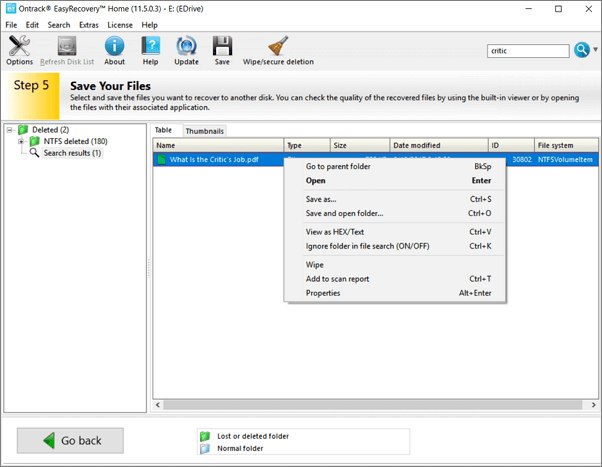
Ontrack initially offered manual repair services, but later introduced DIY recovery software. If your hard drive crashes or is infected by a virus, Ontrack EasyRecovery can quickly recover your files, helping with precise file recovery in scenarios such as deletion, reformatting, and other data loss situations.
Pros:
- Easy-to-use data recovery software
- Stop and start at your own pace
- The Windows version can recover 1GB for free
Cons:
- Must enter personal information to download the software
Top 4. Disk Drill (Windows & Mac)
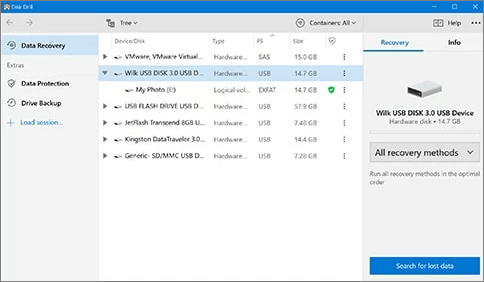
Disk Drill is a modern, free data recovery solution that can reliably recover deleted and formatted data from various data loss situations. It allows users to quickly and easily recover any type of deleted files in Windows 11, including Office documents, messages, and media files.
Pros:
- Fresh user interface
- Two scanning modes
- The Windows version can recover 500MB for free
Cons:
- Expensive lifetime upgrades
- Windows and Mac versions require a separate license
Top 5. Wise Data Recovery (Windows)
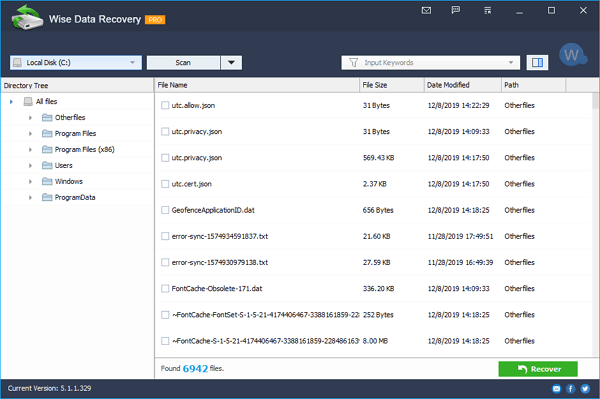
Wise Data Recovery is a free software in Windows 11 that simplifies data recovery, allowing anyone to recover deleted or lost files with confidence.
Pros:
- Free to use
- Fast scanning speed
- Lightweight and space-saving
- A portable version is available
Cons:
- Only the Quick Scan and Deleted Recovery are free
- Shows messy codes in the preview pane for unsupported formats
Top 6. Remo Recover (Windows/Mac)
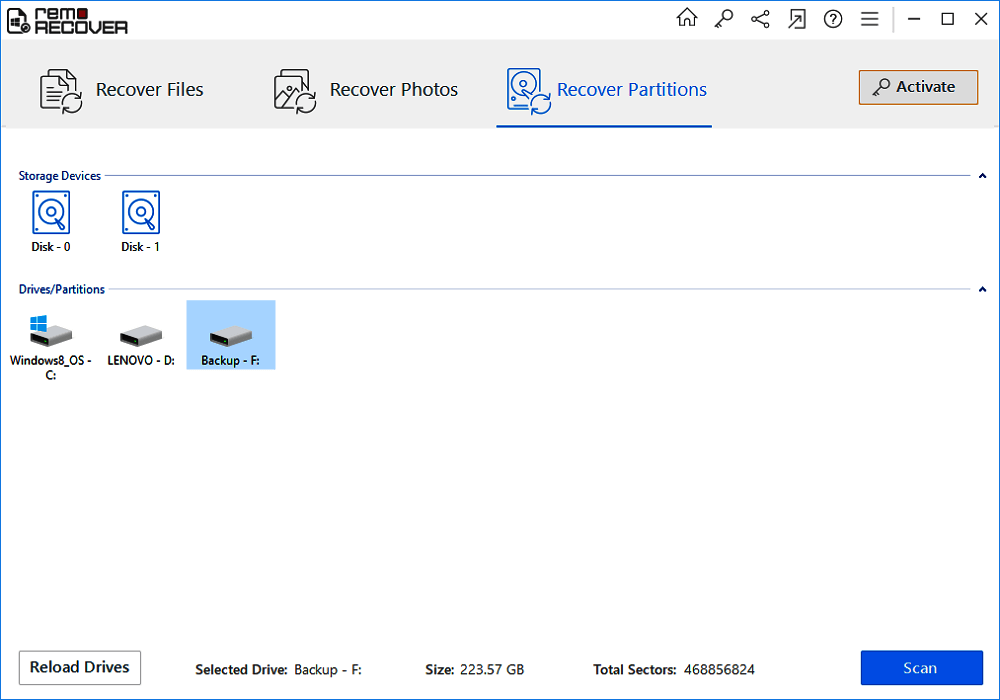
Remo File Recovery Software is a quick tool to recover deleted or lost files from the Recycle Bin and various storage devices, offering a demo version to scan and preview files.
Pros:
- Easy-to-use data recovery software
- Authorize a user to recover large files
Cons:
- The free demo only allows scanning and previewing lost data
- It's expensive ($99.97)
Top 7. R-studio (Windows/Mac/Linux)
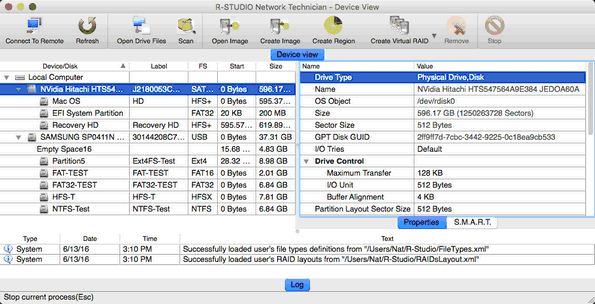
R-Studio is a professional data recovery software that scans for multiple types of files, including documents, videos, audios, and emails, and can restore data from various storage devices such as HDDs, SSDs, external hard disks, USB flash drives, memory cards, and more.
Pros:
- Built-in hex editor
- Familiar user interface
- Solid performance
Cons:
- Doesn't have a free version and costs at least $49.99
Top 8. Windows File Recovery (Windows)
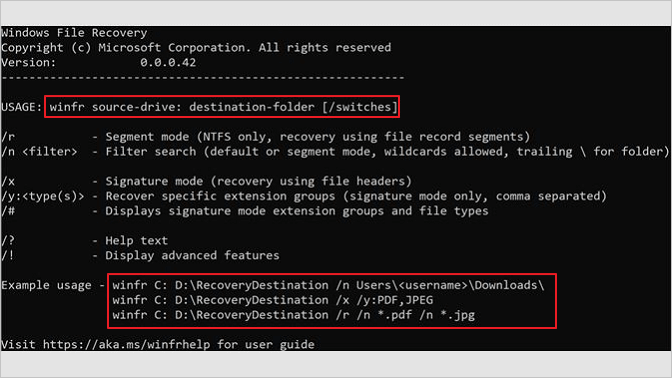
Microsoft offers a free data recovery software called Windows File Recovery, available for Windows 10 2004 and above, which can recover deleted files from various storage devices.
Pros:
- It's totally free for data recovery
- It can recover most of the deleted files
Cons:
- Limited file type recovery
- The operations are not easy
Top 9. Puran Files Recovery (Windows)
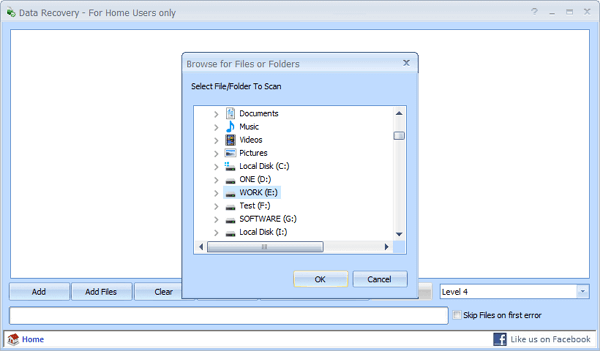
Puran File Recovery is not the best choice due to its outdated user interface and limited file system support, but it can still recover deleted photos, videos, and audio from computer hard drives and portable storage devices.
Pros:
- Completely free for private use
- Easy to use
Cons:
- This interface is very old
- You cannot preview the result
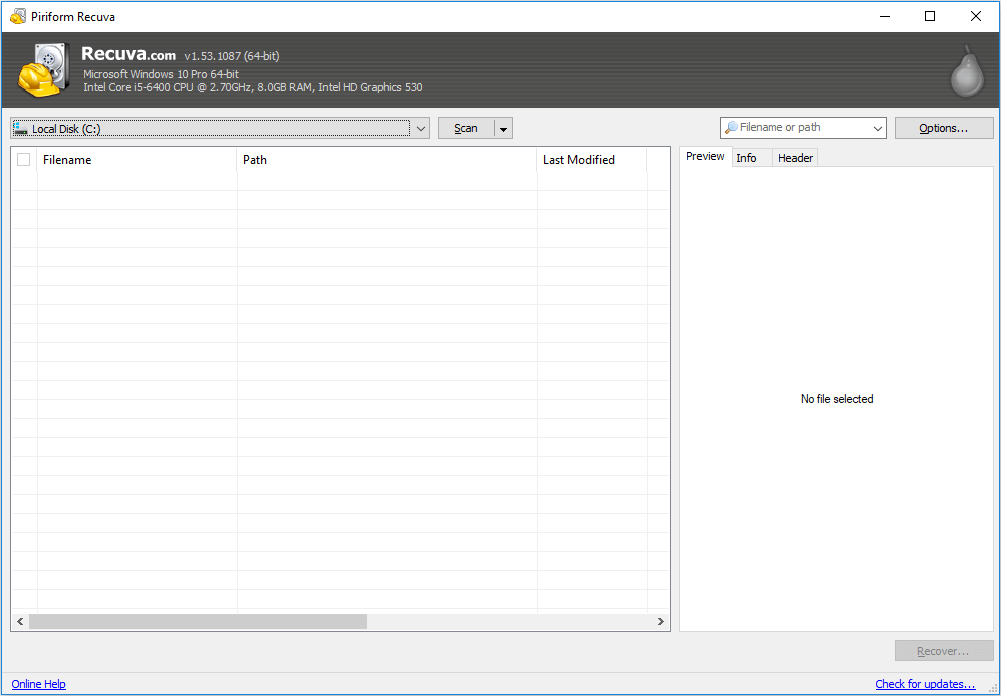
Top 10. Recuva
Recuva is an outdated data recovery software that hasn't been updated since 2016, making it potentially incompatible with Windows 11, but it's still available for free.
Pros:
- Truly free and unlimited
- Straightforward data recovery
Cons:
- Not actively developed
- Out-dated interface
How to Recover Lost Data from Windows 11 for Free
You can recover up to 2GB of data for free with Deep Data Recovery Free, with the option to upgrade to the paid version for more data recovery capabilities. To recover lost data on Windows 11, follow these steps.
Step 1. Select file types and click "Fast Scan" to start
Launch Deep Data Recovery, select the file types you want to recover, and click "Fast Scan" to begin the recovery process.
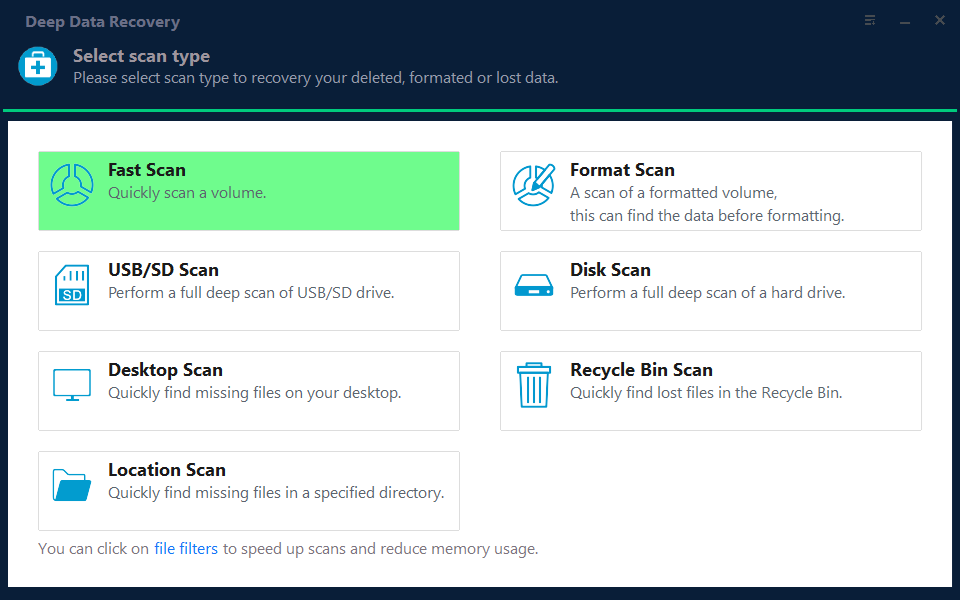
Note: You can choose different search modes based on where and why the data was lost.
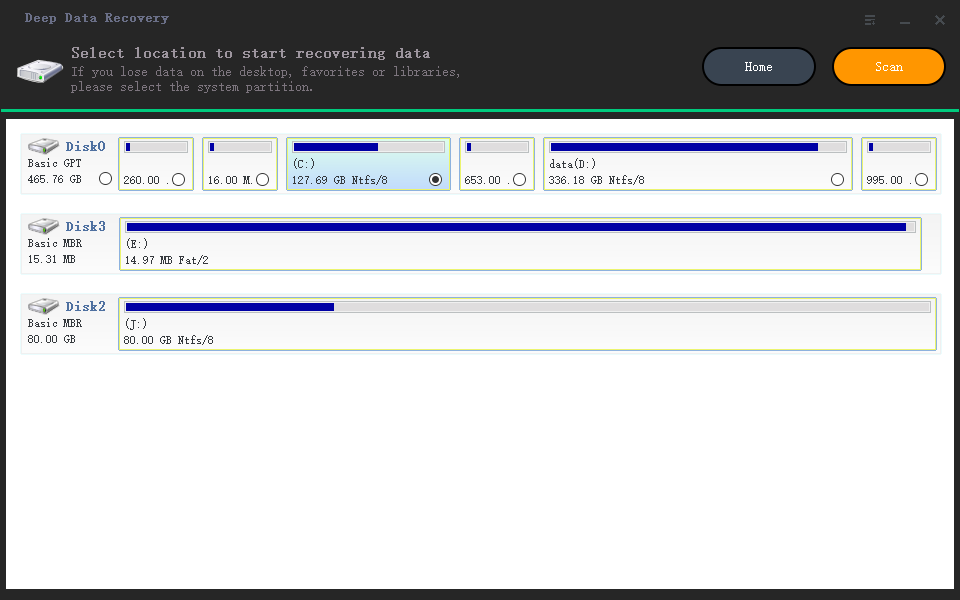
Step 2. Select a location and start scanning
Choose the partition where you lost data. Then, click "Scan".
Step 3. Filter and preview files
Use the file format filter on the left or upper right corner to find the specific files you need, and then click the "Preview" button or double-click a file to preview its content.
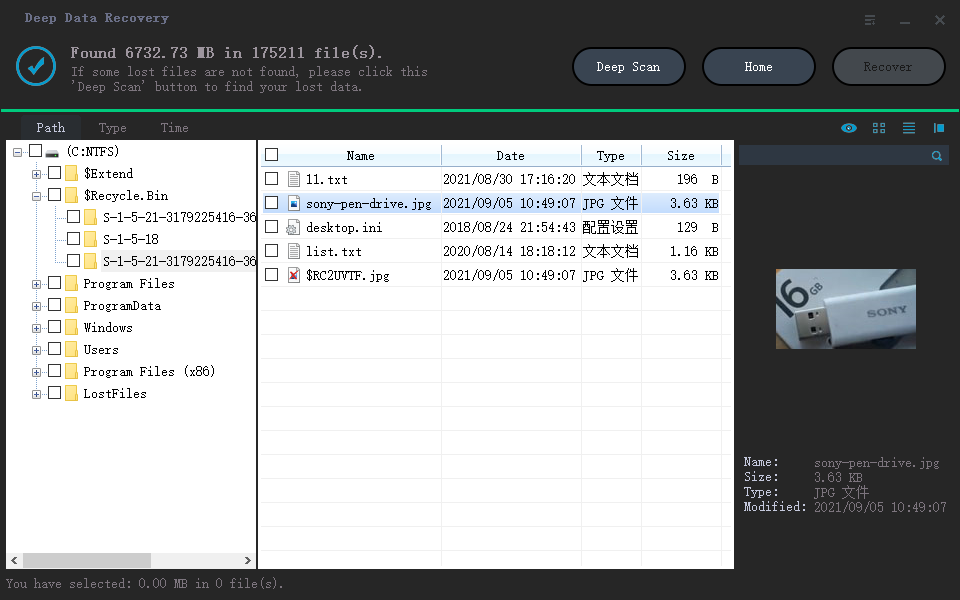
Step 4. Recover lost data or files
To recover lost data from a file, select the file and click the "Recover" button to restore it to a secure location.
Conclusion
Qiling data recovery software stands out as the overall winner among the 10 best free data recovery software for Windows 11, offering a user-friendly interface that makes it easy to tackle even the most challenging data recovery scenarios with just a few clicks.
Related Articles
- Best Forensic Data Recovery Software
- Top 10 Free Photo Recovery Software - Recover Lost Photos Easily
- What to Do When Computer Says Invalid System Disk Replace the Disk Windows 10/8/7
- Free Download MySQL Recovery Tool to Recover MySQL Database
- Hard Disk Rescue Software - How to Rescue Files from Hard Drive
If you delete files from your driver or format your hard drive, you may permanently lose your data. However, you can rely on Qiling's hard drive rescue software to help you rescue files from your hard drive. - 4 Ways to Recover Data from Damaged/Corrupted Hard Drive [2026]
If your hard drive is damaged or corrupted, it's essential to identify the issue first.
Products
Articles & Tutorials
- Data Recovery
- Data Backup
- File Recovery
- File Backup
- System Backup and Restore
- Disk and Partition Clone
- Technical articles
- Mobile articles
- Disk Master Help
- Windows Data Recovery Tutorials
- Windows Secure Delete Tutorials
- Windows Partition Management Tutorials
- Windows File Backup and Restore Tutorials
- Windows System Backup and Restore Tutorials
- Windows Disk Backup and Restore Tutorials
- Windows Clone Tutorials