Best File Repair Software for PC, Mac and Online (10+)
To fix corrupted files, download a free corrupt file repair software, which is designed to scan the damaged file and extract maximum data from it to a new usable file, making it easy and hassle-free.
- Best File Repair Software for Windows (7 Picks)
- Best File Repair Software for Mac (3 Picks)
- Best Online Repair Software Online (Free & Paid)
- Conclusion & How-to Guide
What Are Corrupted Files?
You're likely referring to errors such as "file is corrupted and cannot be repaired", "file is damaged", "file is broken", "file is not a valid file", "file is corrupted and cannot be played", "file is damaged and cannot be played", "file is not playable", etc. These errors often occur due to various reasons such as file transfer issues, storage device problems, or software glitches, and require a thorough examination and repair to recover the original file.

- The file or directory is corrupted or unreadable
- The file is corrupted and cannot be opened
- Word found unreadable content in [filename]. Do you want to recover the content of this document?
- You can try to open the image in another photo viewer like Google Photos or Adobe Photoshop, or try to repair the image using a tool like PhotoRec or Recover My Files. If the image is too large, you can try to compress it using a tool like TinyPNG or ImageOptim.
If a file is corrupted, it may not open properly, whether double-clicked or opened from within an application, indicating a significant impact on the file's usability.
Best File Repair Software for Windows 7/8/10 (7 Picks)
1. Deep Data Recovery Free
Our top pick for an easy-to-use yet powerful file repair software for PC use is Deep Data Recovery. This classic data recovery program is designed to restore all kinds of files that were lost, deleted or formatted on a hard drive or a removable storage drive, making it a reliable choice for customers who need to recover their important data.
Deep Data Recovery is a highly-efficient file repair utility that can fix corrupted files in various Windows operating systems, including Windows 10, 8, 7, XP, and Vista. It can turn incomplete files into intact ones, giving users hope for recovery.
- JPG/JPEG/GIF photos
- MP4/MOV videos
- Word documents of .doc/.docx
- Excel sheets of .xlsx/.xls/.csv
- Canon/DJI cameras
- Dashcam car cameras
Pros:
- Recover/Repair corrupted files up to 2GB
- Wizard-like interface for beginners and pros
- Repair lost/existing corrupted videos, photos, Word, Excel files
- Fix corrupted files after recovery
- Allow a prior preview of repaired files before recovery
Cons:
The repair session begins after the deep scan. If the drive you selected to scan is large enough, it'll take a little time to reach the repair session.
2. Hetman File Repair
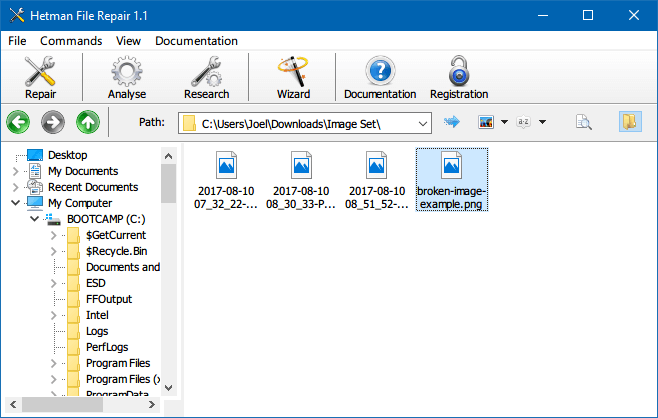
Hetman file repair software stands out from its rivals due to its cost-effectiveness, ease of use, and ability to fix file errors and repair corrupted JPEG images, archives, and documents after a data recovery attempt.
Hetman File Repair works similarly to Qiling repair software, and is a perfect tool to use with data recovery applications, offering both data recovery and corrupted file repair capabilities.
Pros:
- Easy-to-use with the Windows-Explorer like interface
- Support a batch repair job in few easy steps
- Particularly be good at repairing JPEG, BMP and PNG pictures
Cons:
- Only scan files for free
- Home edition requires $20 for personal use
- Office edition requires $140 for business use
3. Remo Repair MOV
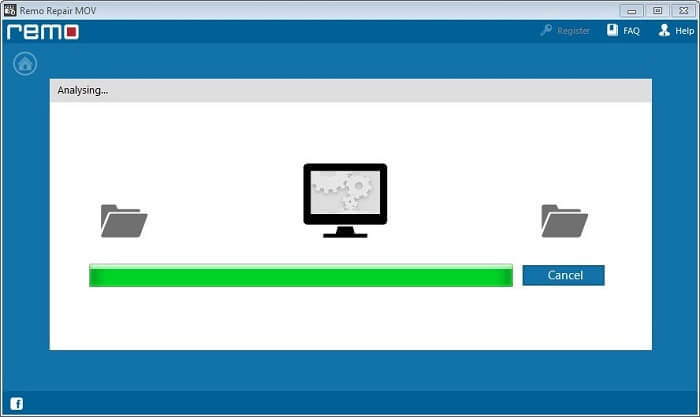
Remo Repair MOV software is a specialized tool that primarily fixes unreadable or unplayable MOV videos, allowing users to repair MOV files from various camcorders, including Canon, Pentax, Kodak, Panasonic, Sony, and GoPro.
Remo Repair MOV is a tool designed to repair MOV video files, but it can also be used to fix other types of video formats like MP4 and M4V if they are damaged.
Pros:
- Sophisticated file repair software for MOV videos
- It supports both Windows and macOS operating system
- 24*7 technical support is provided
Cons:
The process of repairing a MOV video is completely free, except for the final step of saving the repaired file.
4. MP3 Repair Tool
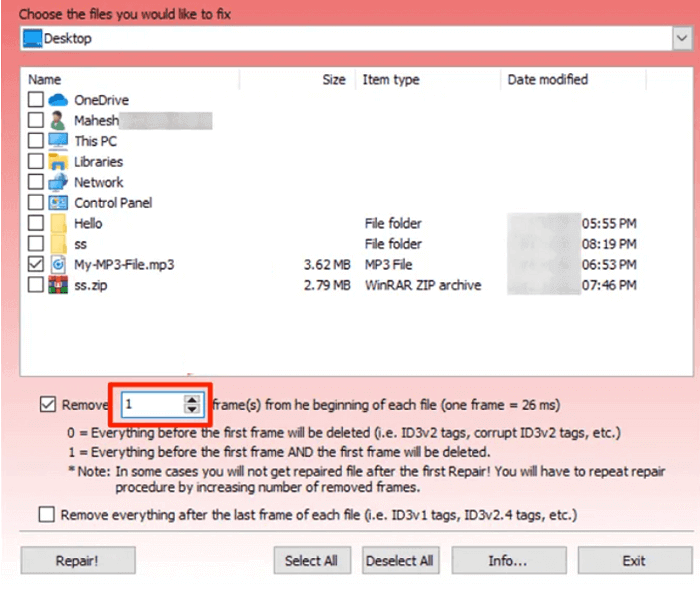
MP3 files, like any other type of file on a PC, can become damaged and unplayable. However, unlike other file repair software that only superficially fixes music files, the MP3 Repair Tool offers a more effective solution, giving users the best chance to revive non-functional MP3 files.
To repair damaged MP3 files with minimal effort, download and install the MP3 Repair Tool on your PC. If the files were stored on an MP3 player or other digital device, transfer them to your PC storage first.
Pros:
- Freeware applies to Windows All
- Repair the MP3 files with a pretty high success rate
- Beginners-friendly with very small repair features
- A simple user interface can be achieved by displaying all available options in a single window, eliminating the need for multiple screens or menus, making it easy for users to navigate and find what they need.
Cons:
- There is no help manual
- Unfortunately, the current design is too simplistic to make the file repair software stand out and effectively repair files of various types, which is a major shortcoming.
5. Picture Doctor
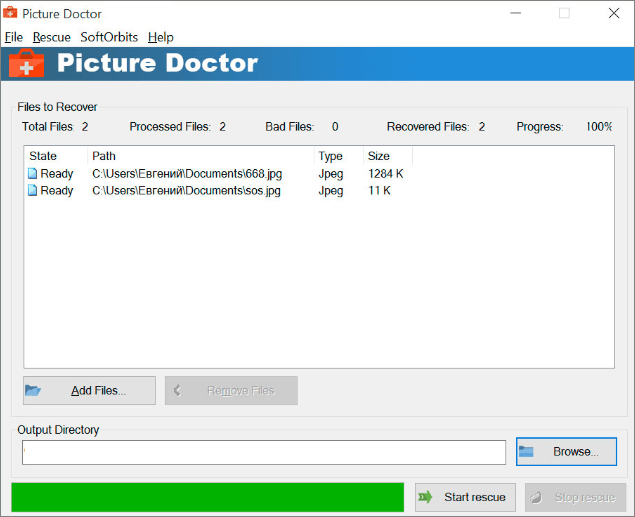
Picture Doctor by SoftOrbits is a tool that can restore and recover damaged or corrupted JPEG and PSD files, saving them as BMP format, and also recover layers data for PSD images. It can also perform batch processing to save time, especially useful when multiple images within a folder get corrupted.
One notable benefit of using Picture Doctor software to repair pictures is that you won't lose the original dimensions and palette after the repair.
Pros:
- Repair JPEG and PSD file formats
- Images recovery with original dimensions and palette
- Recovers layers data for PSD images
- Batch file processing
Cons:
- Free feature is very limited
- To access the software, simply download the demo and use the activation key that will be emailed to you to unlock the full version.
6. Qiling Email Data Recovery Wizard
Many Outlook users seek a feasible solution to repair their corrupted PST files, as damage or corruption can result in the loss of access to valuable emails and other data. The Qiling Email Recovery Wizard can efficiently scan and fix damaged or inaccessible PST files, allowing users to regain access to their emails, folders, calendars, appointments, contacts, notes, and attachments.
Pros:
- Repair corrupted Outlook PST file
- Recover lost/deleted Outlook items
- 24/7 technical support and a wealth of user manual materials are available on the website.
Cons:
Support Outlook repair only
7. File Repair Databases
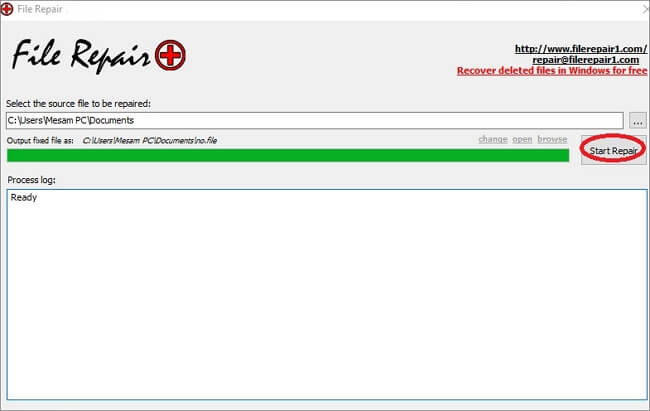
File Repair toolkit is a versatile tool that can repair a wide range of corrupted files, including Microsoft Word, Excel, and PowerPoint documents, as well as databases, archives, images, PDFs, videos, and music files. The toolkit's database repair feature is particularly effective and user-friendly, making it a standout product in the File Repair family.
The File Repair for databases offers 14 products that cover all the needs for database repair, including Access, MySql, Oracle, and Microsoft SQL, making it a comprehensive solution for database recovery.
Pros:
- Repair a variety of different file types
- Try & Verify - Before You Buy
- Instant Repaired File Delivery
Cons:
- The interface is less than pleasing
- Each of the products is a standalone tool designed to repair a specific type of file, and they can be used independently of one another.
Best File Repair Software for Mac (3 Picks)
1. Photos Library Repair Tool
Related Post: Repair corrupted Photos library on Mac
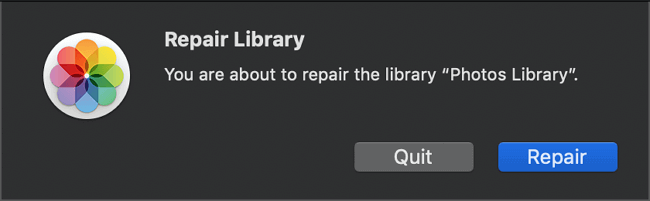
Mac users can enjoy the inbuilt photo repair tool on their MacBook or iMac, which may resolve issues such as a non-opening Photos library or unexpected behavior.
If you're using the Photos library repair tool to manage severely damaged photos, don't expect too much as it's a default program for basic photos management. To use it, follow these steps:
Step 1. Hold down the Option and Command keys while you open Photos on your Mac.
Step 2. In the dialog that appears, click Repair to start the repair process.
Pros:
Easy and free to use
Cons:
Very basic and most of the time the repair process didn't work
2. Deep Data Recovery Free for Mac
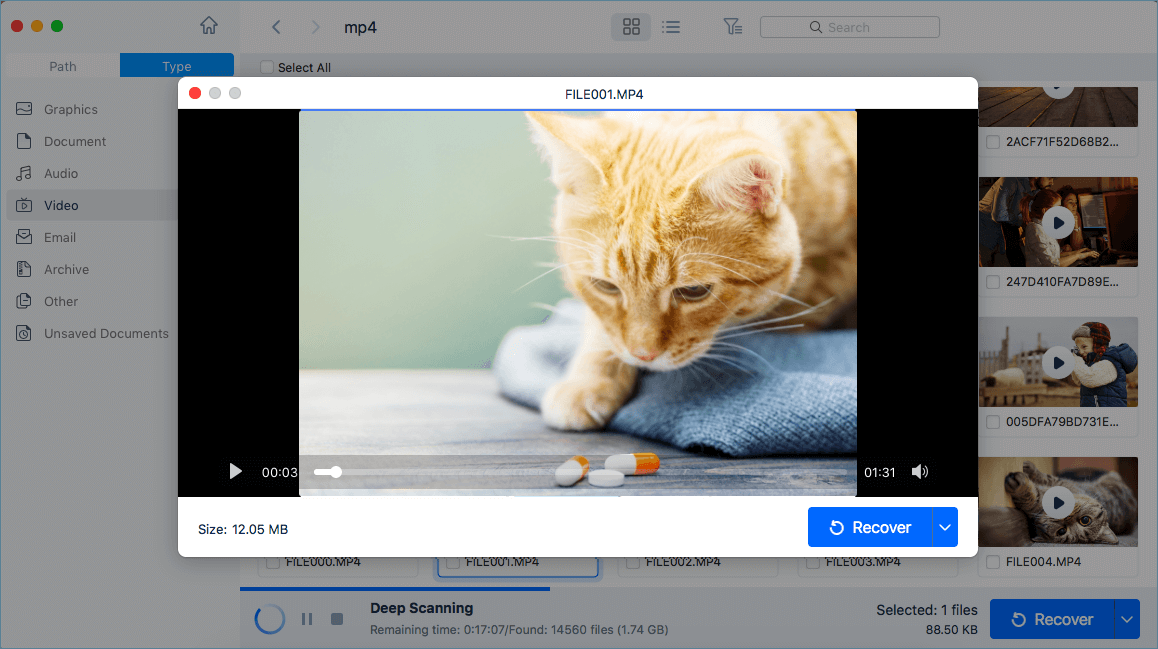
Deep Data Recovery for Mac is a third-party file repair software that complements the Photo Library's limitations by repairing corrupted photos, images, and pictures. Like its Windows counterpart, it combines data recovery and file repair functions in a single application.
With its advanced data scan algorithm, the system identifies incomplete files that are unable to be opened, displaying them first in the scan results, followed by a session of examining and repairing these files.
Pros:
- Restore an array of corrupted files: Word, Excel, Video, Photos...
- Support 2GB file repair for free
- Simple and quick for file repair with three steps
Cons:
File repair only begins after the deep scan
3. Stellar Video Repair Software for Mac
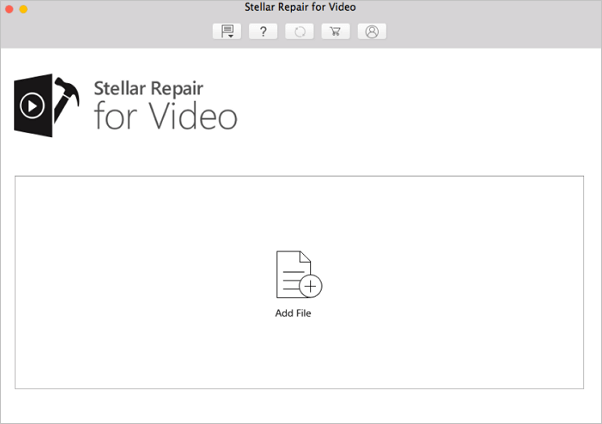
Stellar Repair for Video software is an ideal selection for damaged video files, including popular formats like MP4, MOV, M4V, and 3GV.
It deals with multiple multimedia layers like frames, video sliders, and audio components, and groups all the good components into one intact file, making your damaged video playable again.
Pros:
- Exclusive video file repair software for Mac
- Support a wide variety of video formats
- The software is kind of simple to operate
- Videos recorded by drones and smartphones can be corrected
- The free demo allows users to preview repaired files, but only up to 20% of the total video size.
Cons:
- If the multimedia application is corrupt or damaged, it's not possible to preview files.
- You can't save the repaired video before upgrading to the full version because the free version only allows you to preview the repaired video, but you need to purchase the full version to save the repaired video. This is a common limitation of free video repair software, and it's designed to encourage users to upgrade to the full version to access the full range of features.
Best File Repair Software Online (Free & Paid)
Online file repair software has its own advantages when it comes to repairing a corrupted video, picture, document or audio that is not heavily damaged, allowing users to quickly and easily recover their files without the need for technical expertise.
- It's web-based so the OS compatibility is not the problem
- By not downloading software, you can save a certain amount of disk space.
- Usually easy to use, without too many sophisticated operations
If you're dealing with a corrupted file, you can try repairing it online, but be cautious and avoid suspicious websites that might compromise your data. Instead, use a reliable online file repair software that doesn't ask for personal info. We've selected two options for you: one is free, while the other requires a payment.
1. ILOVEPDF
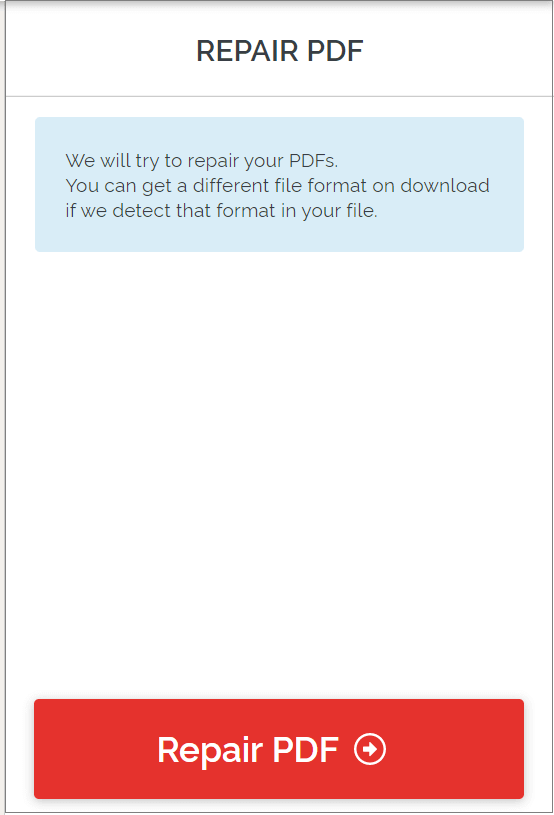
ILOVEPDF is a free service that repairs PDF files without leaving a watermark on the repaired files. It's designed to fix PDF issues, and all you need to do is upload your file to get started.
- To upload a file from a local drive, Google Drive, or Dropbox, follow these steps:
- Click Repair to start
- Download the repaired PDF files
2. OnlineFile.Repair
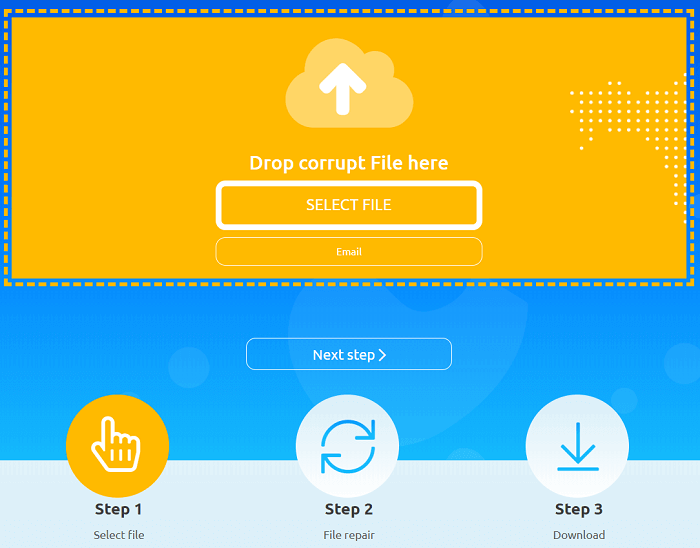
OnlineFile .Repair is a refined online file repair program that offers multiple plans for repairing files in various formats, with capabilities comparable to many downloaded corrupt file software. It can restore corrupted documents and files from Microsoft and Adobe, among others.
Best File Repair Software of 2022 Conclusion
To help restore corrupted files, we've compiled a list of the best file repair software for PC, Mac, and online, including free options with size limits and commercial use-only versions.
The Qiling product appears in each section of repairing a corrupt file on both PC and Mac, and it topped the list due to its effectiveness in addressing corrupt file issues on both platforms.
- 1. The software comes with a complimentary version of 2GB file recovery and corrupt file restoration, allowing users to recover and restore files up to 2GB in size without any additional cost.
- 2. The software covers various file types that can be repaired, including Microsoft Word documents, Excel spreadsheets, videos, and photo files.
- 3. A cost-effective toolkit that provides a one-stop solution for recovering lost files and repairing corrupt files, allowing users to retrieve their valuable data without incurring additional expenses.
Learn how to fix corrupted files in Windows with Qiling file repair software:
Step 1. Run Deep Data Recovery on your computer, selecting the file types you want to recover and clicking "Fast Scan" to initiate the process.
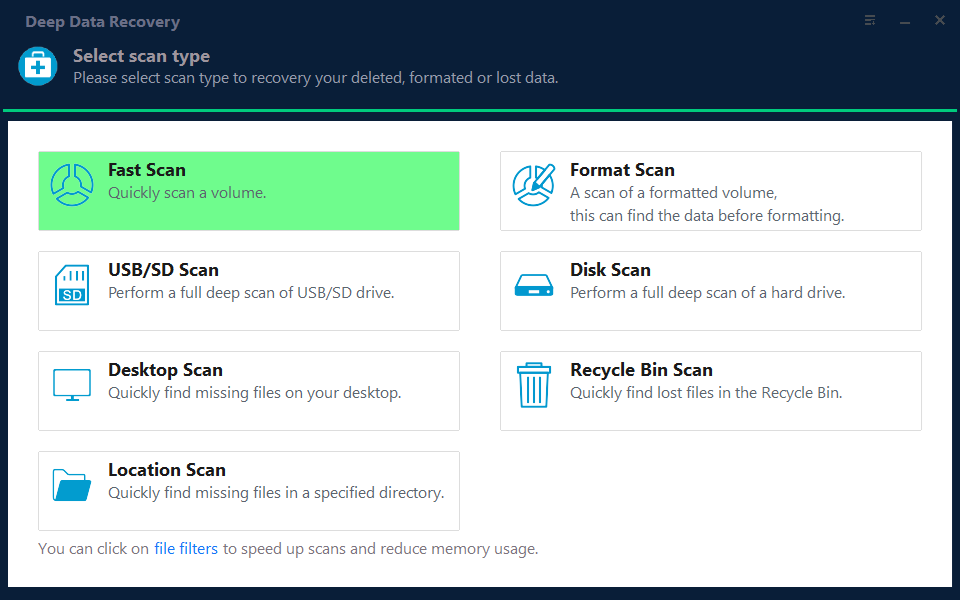
Note: You can choose different search modes based on where and why the data was lost.
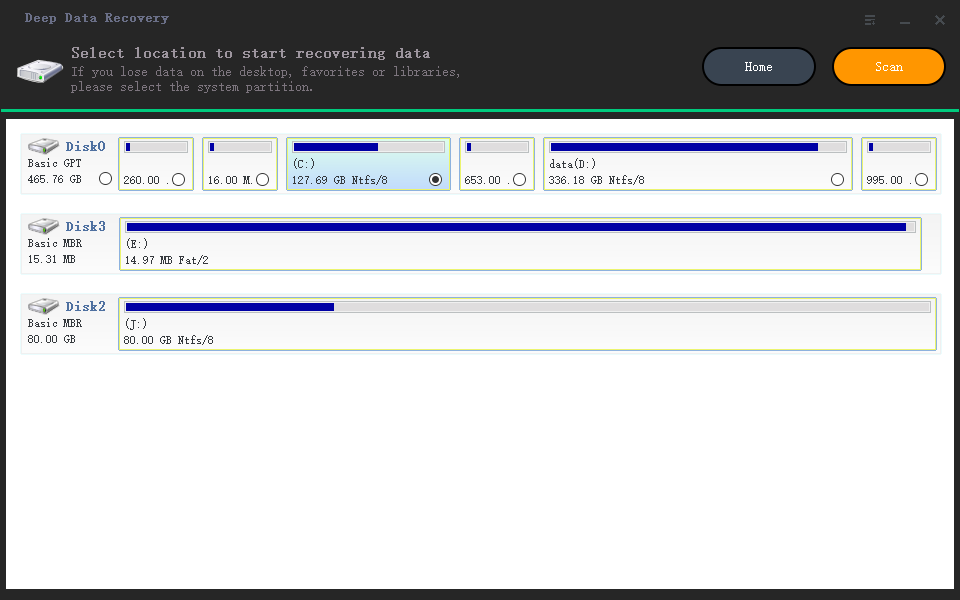
Step 2.To recover corrupted files, launch Deep Data Recovery, select a disk location where the files are saved, and click "Scan" to start finding the broken files. The Qiling file repair tool can fix damaged documents, videos, and pictures in different formats.
Step 3. After scanning, you can quickly find corrupt data by file type. This allows you to target specific categories, such as repairing damaged Word, Excel, or PDF documents by selecting the Documents category and filtering by file type. For multimedia files, the program supports a wide range of common types, including JPEG, PNG, BMP, MOV, MP4, GIF, and more, making it easy to repair pictures and videos.
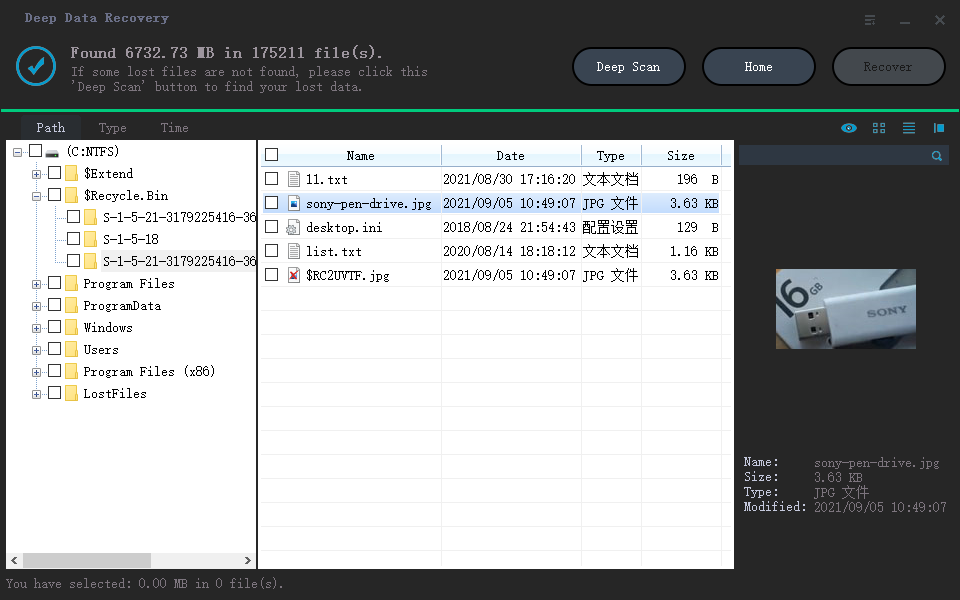
Step 4.Qiling file repair software automatically fixes broken files, allowing you to preview the repaired files before recovery. Once you're satisfied, click "Recover" and save the recovered files to a different location to avoid data overwriting.
Related Articles
- M.2 Not Recognized? See How to Make Your M.2 SSD Show Up in Windows
- League of Legends Replays & Highlights, Where to Find and How to Recover
- How to Use CMD to Remove Virus from Any Drive in Windows 10/11
- Fix Word The Add-In Template is Not Valid
- Fix No Writable WD Smartware Partition Found and Recover Data
WD My Passport not recognized or become inaccessible in Windows or Mac due to No writable WD SmartWare partition found error? Here, useful instructions are created to help you fix the issue on Western digital hard drive and recover lost partition data. - 10 Ways to Fix Non System Disk or Disk Error on Laptops/PC
If you're experiencing a “non-system disk or disk error” on your HP, Dell, Compaq, Acer, or Lenovo PC or laptop, this page provides solutions beyond basic troubleshooting methods.
Products
Articles & Tutorials
- Data Recovery
- Data Backup
- File Recovery
- File Backup
- System Backup and Restore
- Disk and Partition Clone
- Technical articles
- Mobile articles
- Disk Master Help
- Windows Data Recovery Tutorials
- Windows Secure Delete Tutorials
- Windows Partition Management Tutorials
- Windows File Backup and Restore Tutorials
- Windows System Backup and Restore Tutorials
- Windows Disk Backup and Restore Tutorials
- Windows Clone Tutorials