Ext4 File Recovery: How to Recover Deleted Files from Ext4 Linux
- Ext4 File Recovery in Linux
- Everything About Ext4 File System in Linux
- How to Recover Deleted Linux Ext4 with Data Recovery Software
- Why Do You Lose Data on Linux Ext4 Partition
Ext4 File Recovery in Linux
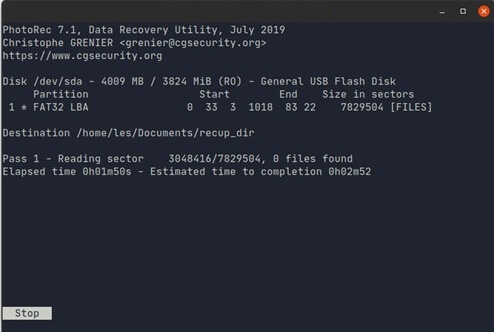
To recover deleted files in a Linux system with an Ext4 file system, you can try using the `extundelete` tool. This tool is designed specifically for recovering deleted files from Ext4 file systems and can be installed on most Linux distributions. To use it, you'll need to identify the location of the deleted files, typically by looking for the `lost+found` directory in the root of the file system, and then run the `extundelete` command with the correct parameters to recover the desired files. Alternatively, you can also try using `photorec` or `testdisk` tools, but these might require more manual effort and expertise. It's worth noting that the success of recovery depends on various factors, including the time elapsed since deletion, the presence of any file system checks, and the level of disk fragmentation.
Data loss from Ext4 Linux partitions can be caused by several factors, including unintended removal of partitions, overall disk format, disk re-partitioning, glitches in the partition disk, cracked superblock, malware infection, software re-install, and system restore, among others. We will discuss these in detail later.
Fortunately, Ext4 data recovery is feasible and can be completed on a Windows machine with a few simple steps. This article will guide you through the process of recovering deleted files from Ext4 Linux using reliable data recovery software.
Everything About Ext4 File System in Linux
Ext4 began as a series of extensions to Ext3, which was itself a development of Ext2, a descendant of the initial Linux-specific file system, Extfs. Extfs was created by Rémy Card and colleagues to overcome the limitations of MINIX, the Unix-like operating system used by Linus Torvalds in the original Linux kernel, which was developed by Andrew S. Tanenbaum in 1987.
The author created a modified version of the MINIX file system, called Extfs, to overcome its limitations and make it more suitable for teaching UNIX, allowing students to learn without the financial burden of purchasing the real UNIX system.
Addition to Linux Kernel (Ext4dev) in 2006
Ext4 was added to the Linux kernel in 2006 and became available in the repositories in 2008. It is a journaling file system, like its predecessor Ext3, that keeps track of changes by recording pending and implemented modifications.
The journal serves as a day planner/journal hybrid, allowing you to predict future events rather than record past ones. It also enables rapid correction of file system faults without using software, allowing you to quickly identify and fix anomalies.
A Root/Tree Filing System
The Ext4 file system is a typical root/tree file system that includes a boot sector and partition table, and uses inodes (index nodes) to represent files and objects, similar to the Unix File System.
Ext4 employs transparent encryption, checksums on metadata, supports TRIM, and uses delayed allocation to improve speed and reduce data loss risk. Data is stored until the most efficient method to write it is found, and journaling minimizes the risk of data loss in case of a power outage. This approach allows for faster write speeds and increases the likelihood that data will not be written in the event of a power outage.
When Should You Use Ext4?
Because Ext4 is a fast, tried-The default file system for Linux, known as ext4, is a highly reliable and efficient option that suits the needs of end-users like Tux.
Using Btrfs or OpenZFS may be a better option for devices that prioritize data integrity and fault tolerance over performance, such as NAS devices or servers.
Recover Deleted Linux Ext4 with Data Recovery Software
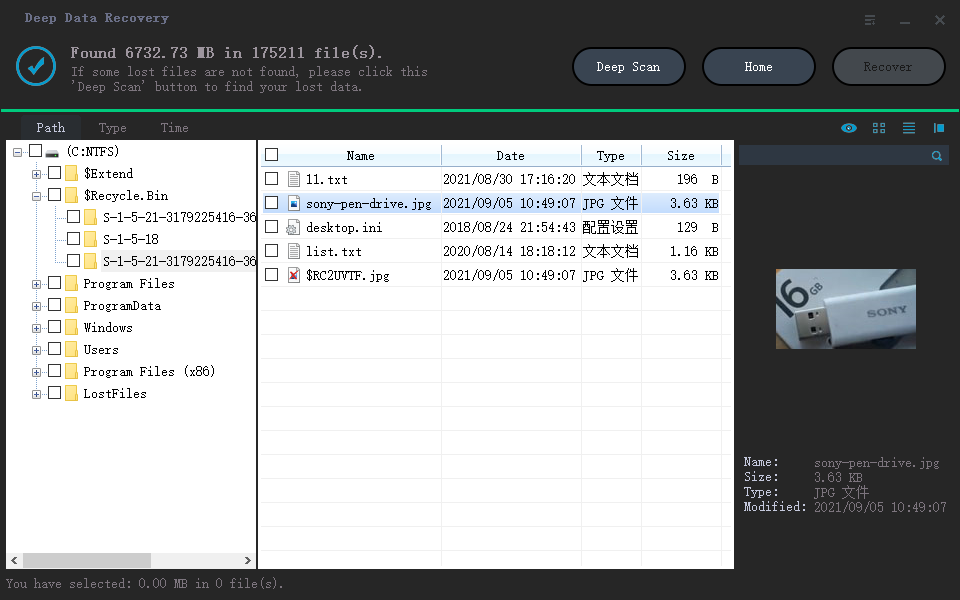
If you're looking to recover deleted files, we recommend using Deep Data Recovery, a competent software that can help you do that. It's also an excellent option for individuals to recover data that has been lost or erased. Additionally, Qiling disk data recovery software can be used on Linux systems such as MX Linux and Manjaro.
Linux users can easily recover deleted files, folders, or directories using this program. It allows users to restore deleted files from a Linux machine on a Windows PC. Deep Data Recovery can retrieve lost or deleted data from any storage device, including hard disk drives, SSDs, SD cards, and even RAW file systems that the operating system doesn't recognize.
Note: The latest version of Deep Data Recovery includes a new feature called Linux Recovery, which can be installed by contacting the online customer service for the installation package.
Step 1.To recover data from a Linux system, install and launch Deep Data Recovery on your Windows PC and select "Linux Recovery" from the left panel.
Step 2. This software will automatically detect your IP and Port, requiring only your username and password to be input. If the IP or Port is incorrect, you can manually correct it. After that, click "Connect Now" to proceed.
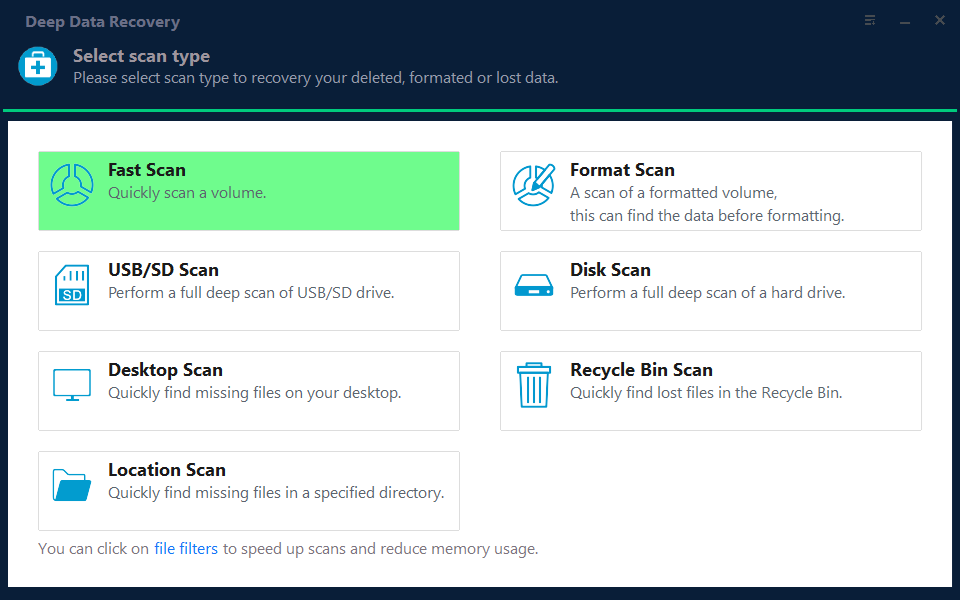
Note: You can choose different search modes based on where and why the data was lost.
Step 3. After connecting to the Linux device, Qiling recovery software will scan the disk to find lost and deleted files, and then allow the user to filter the results by file type.
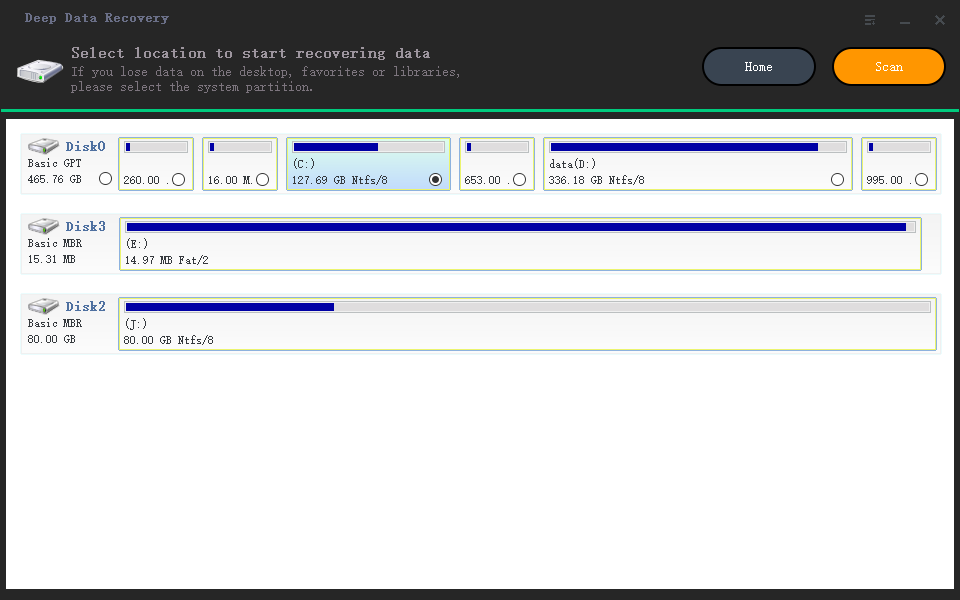
Step 4.To recover lost files in Linux, you can first preview the scanned files, then select the target data, and click the "Recover" button to restore the files.
Why Do You Lose Data on Linux Ext4 Partition
The most probable causes of data loss from Ext4 Linux partitions are file system corruption, incorrect partition table, incorrect file system superblock, incorrect file system block group descriptor, incorrect file system inode, incorrect file system metadata, incorrect file system data blocks, and incorrect file system data blocks due to disk errors or hardware failures.
Factory Reset Your PC
A factory reset is a feature offered by many PC manufacturers that allows you to restore your device to its original settings, but it can result in the loss of local data.
You Re-install Your System
To properly re-The system installation process requires the administrator to ensure all necessary checkboxes are selected. Failure to do so, or correcting an error by clicking on and unclicking an option after installation, may lead to data loss, specifically the loss of a partition.
You Have a Corrupt/Broken Superblock
When the Superblock is broken or corrupted, the extended disks become inaccessible to the user.
You Have an Error in the Partition Table
Incorrect partition table entries can cause difficulties such as "insufficient memory", "sudden power outages", and "unexpected system shutdown".
Re-Partition Your Disk
If you re-Partitioning a hard drive can be a complex process, and mistakes can happen, such as accidentally formatting the wrong partition or deleting a partition by mistake. Additionally, unforeseen errors may occur during the partitioning process.
When You Format Your Disk
Formatting a hard drive means deleting all data, including files, folders, and operating system, by erasing everything on the disk, including all partitions.
When You Delete a Linux Partition
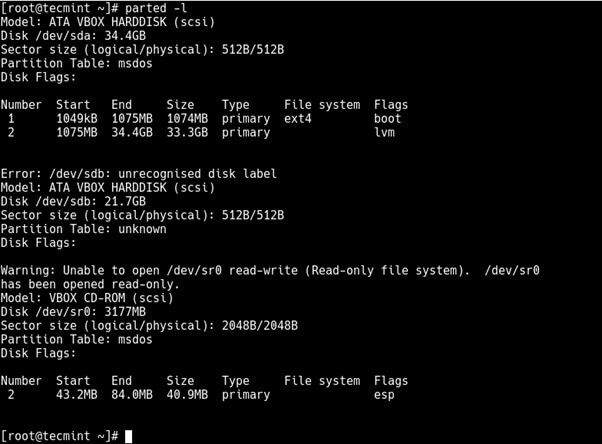
When using partition managers like GNU Parted, Fdisk, or GParted to handle disk partitions, there's a risk of accidentally deleting a partition, which could lead to data loss.
The Bottom Line
To recover deleted files from an Ext4 Linux partition on a Windows system, you would need a quick and trustworthy third-party data recovery program. This is because Windows cannot natively read Linux partitions, unlike Linux which has built-in compatibility for NTFS partitions. Therefore, a third-party tool is required to access and recover the deleted files.
Qiling data recovery software is the most widely used and dependable solution available. It's the fastest and most effective way to recover data from Ext4, Ext3, and Ext2 Linux partitions on Windows.
Related Articles
- Recycle Bin Emptying Not Working Synology/QNAP [Resolved]
- Download Nikon Photo Recovery Software
- How to Recover Deleted Photos from SD Card on Android Phone
- Top 8 Best Professional Data Recovery Software 2022 Update
- Ultimate Guide on SD Card Recovery
SD cards are widely used due to their high data transmission speed and hot-swappable features, which often lead to data loss problems. If you accidentally delete files on your SD card, you can use various recovery methods and SD recovery software to help recover deleted files. - Fix SD Card Files Not Showing in Mobile Phone, Camera or PC
If your SD card is not showing files on your mobile phone, camera, or computer, follow a comprehensive solution. First, recover important data such as photos, videos, audio, and documents on the SD card using data recovery advice.
Products
Articles & Tutorials
- Data Recovery
- Data Backup
- File Recovery
- File Backup
- System Backup and Restore
- Disk and Partition Clone
- Technical articles
- Mobile articles
- Disk Master Help
- Windows Data Recovery Tutorials
- Windows Secure Delete Tutorials
- Windows Partition Management Tutorials
- Windows File Backup and Restore Tutorials
- Windows System Backup and Restore Tutorials
- Windows Disk Backup and Restore Tutorials
- Windows Clone Tutorials