Disk Drill Mac: Is It Safe? Or Is It Worth Downloading?
Page Content:
- Part1: Disk Drill Mac Reviews
- Part2: Is Disk Drill Mac Safe to Download
- Part3: Disk Drill Mac Is Worth Trying If You're Willing to Pay
- Part4: Deep Data Recovery for Mac vs Disk Drill Mac
Disk Drill Mac Reviews
- Disk Drill Mac data recovery software webpage: https://www.cleverfiles.com/
Disk Drill is a Mac data recovery software developed by 508 Software in the US. It serves as a tool for recovering lost data on Mac OS X devices. The software's logo features a doctor figure wearing oversized magnifying glasses.
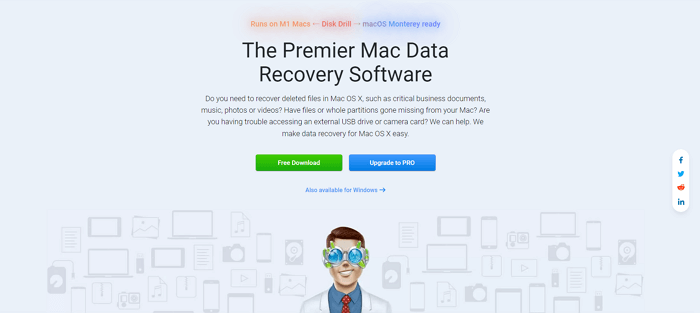
- Disk Drill is often recommended by large IT websites and software/hardware forums as one of the top data recovery software options.
Disk Drill attracts users' attention when they're anxious about losing important files, photos, or research papers. The software has a 10-year brand history and a loyal customer base, while its marketing strategy is also highly successful. It advertises on Google and YouTube, and partners with authoritative review websites, making it easily found online when users search for solutions like recovering deleted files on Mac, undoing empty trash, or finding the best free Mac data recovery software. This exposure helps users seeking data recovery for macOS and Mac OS X, including Intel and M1 based Macs.
- Disk Drill is expanding its business by acquiring competitive products, including Pandora data recovery and 7 data recovery.
When searching for Mac data recovery solutions, you may encounter software like Pandora Recovery and 7 Data Recovery, which are actually owned by Disk Drill.
- Disk Drill is a data recovery software for Mac that is generally considered to be one of the more expensive options available.
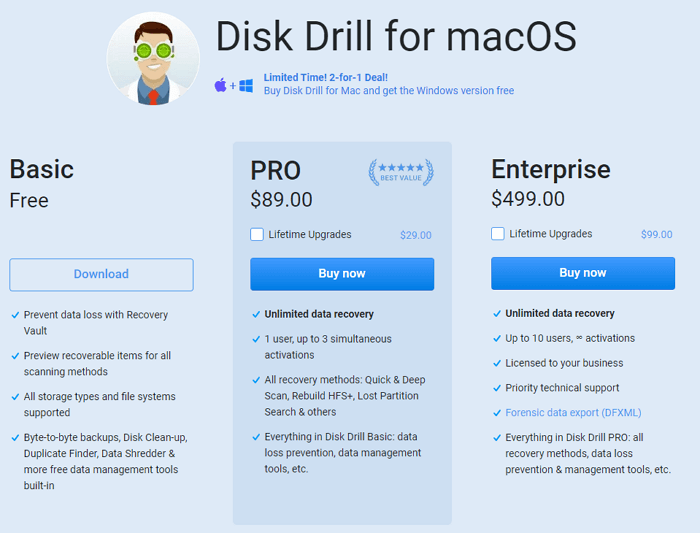
Disk Drill Mac offers three pricing plans: $0 (free), $89, and $499. However, the free edition only provides limited features, and to recover a file, users need to upgrade to the paid version, which costs around $90.
Is Disk Drill Mac Safe to Download?
For security reasons, it's best to download Disk Drill directly from its official website, avoiding potential popup ads and bundle software. As a reliable brand, Disk Drill can be trusted, but the numerous online ads make it difficult to verify the reliability of download sources. By visiting the official website and clicking the "Free Download" button, Mac users can ensure a safe and ad-free installation process.
Note: Avoid Disk Drill Mac activation codes, license codes, serial keys, or torrent offers from unknown websites. These downloads may bundle ads, malware, or ransomware and put your private files at risk.
Disk Drill Mac Is Worth Trying If You're Willing to Pay
Disk Drill has achieved great success in Mac data recovery, hard drive recovery, and trash recovery. Its effectiveness is not only due to its marketing exposure, but also because of the satisfying results it delivers after a deep scan, making it a reliable tool for users worldwide.
Deep Data Recovery for Mac vs Disk Drill Mac
If you're considering downloading Disk Drill, the main reason to reconsider is the price-to-performance ratio. While it's not the only recovery software for Mac, the cost of marketing needs to be paid by its customers, making it more expensive than alternatives like Deep Data Recovery for Mac, which costs $20 less.
If you've been hesitant to try Disk Drill, we recommend giving Qiling a chance instead. With a longer history and higher fame than Disk Drill, Qiling offers lower pricing plans that may be more appealing to you.
- Deep Data Recovery for Mac is a free tool that allows users to recover up to 2GB of files without any limitations on file formats.
- Deep Data Recovery for Mac Pro is a software available for $62.96, with an exclusive 30% discount available for Qiling Mac data recovery full version.
3-step guide for macOS and older Mac OS X recovery:
Step 1. Launch Deep Data Recovery, choose file types and click "Fast Scan" to start the recovery process.
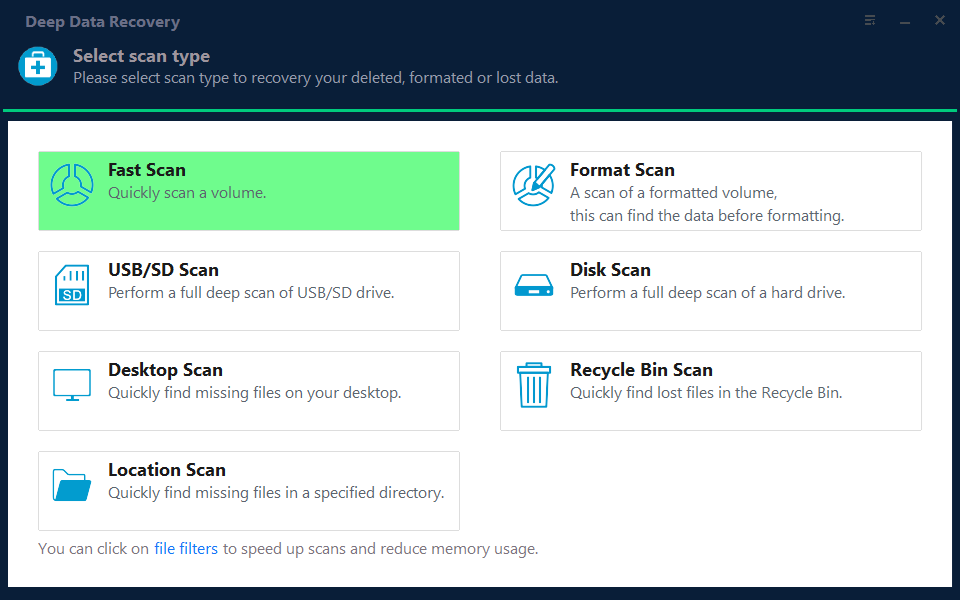
Note: You can choose different search modes based on where and why the data was lost.
Step 2. Select the disk location where you lost data and files, then click the "Scan" button.
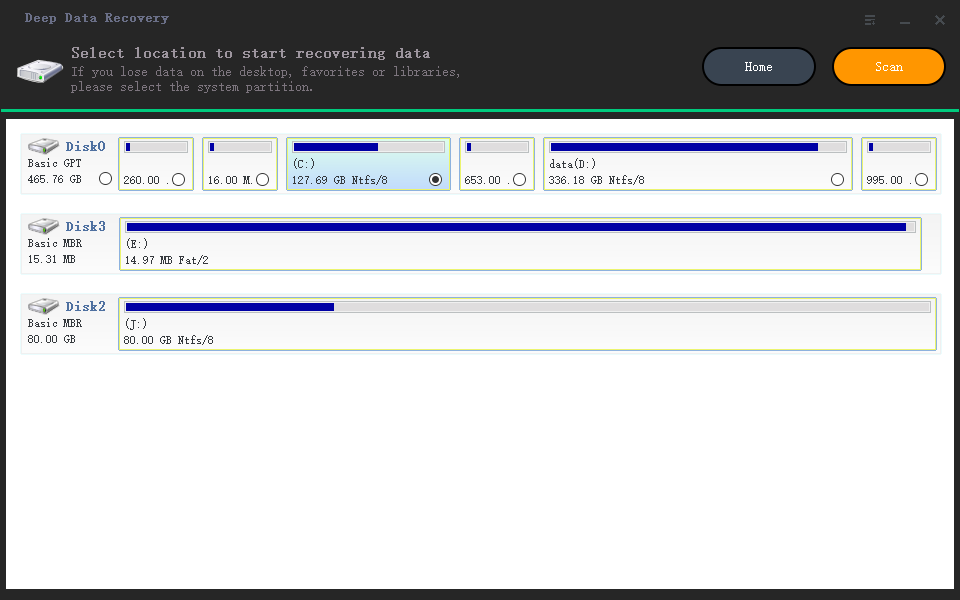
Step 3. Deep Data Recovery for Mac will immediately scan your selected disk volume and display the scanning results on the left pane, allowing you to quickly locate and recover lost files.
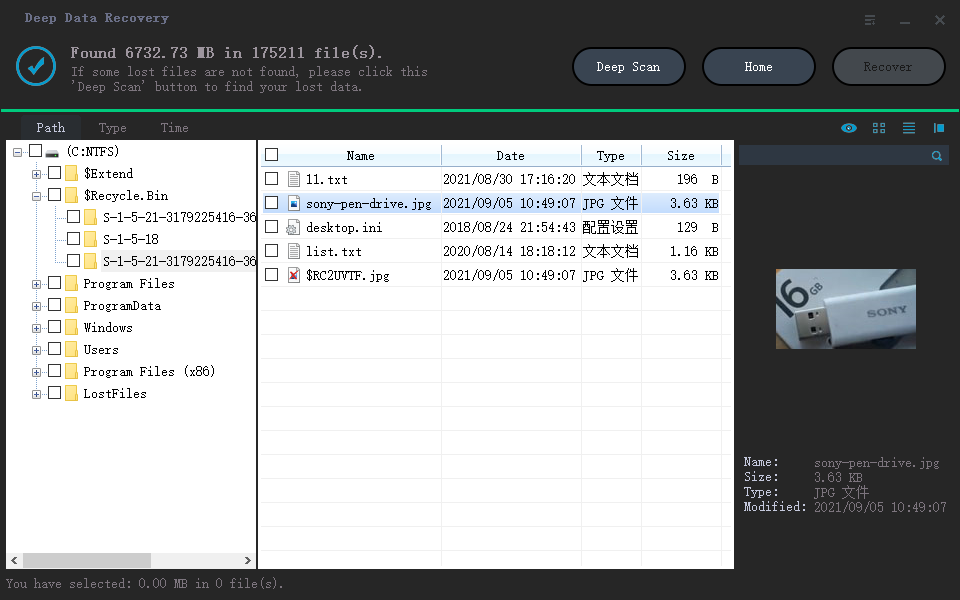
Step 4. Select the file(s) you want to recover from the scan results and click the "Recover" button to restore them.
Related Articles
- PowerPoint Recovery on Mac: Recover Lost/Unsaved PPT Files
- How to Recover Data from Dead MacBook Pro Hard Drive in 2022
- External Hard Drive Data Recovery Mac: How to Recover Deleted Files from External Hard Drive
- How-To | What to Do When My Mac Won't Boot Past Apple Logo
- Hard Drive Recognized in BIOS But Not in Windows
If your hard drive is detected in BIOS but not in Windows 10, this article has got you covered. You'll find easy and effective solutions to fix the issue. - Best Hetman Partition Recovery Free Alterantive Software Download
Learn why cracked Hetman Partition Recovery keys are risky and try a safer free alternative to recover data from hard drives, USB drives, or SD cards.
Products
Articles & Tutorials
- Data Recovery
- Data Backup
- File Recovery
- File Backup
- System Backup and Restore
- Disk and Partition Clone
- Technical articles
- Mobile articles
- Disk Master Help
- Windows Data Recovery Tutorials
- Windows Secure Delete Tutorials
- Windows Partition Management Tutorials
- Windows File Backup and Restore Tutorials
- Windows System Backup and Restore Tutorials
- Windows Disk Backup and Restore Tutorials
- Windows Clone Tutorials