How to Move Foxit PhantomPDF to New Computer
Foxit PhantomPDF is a PDF suite that allows users to share, view, and edit PDF documents. Many users are familiar with its capabilities and user-friendly interface, but may encounter issues when using a new computer due to various constraints.
The process of installing Foxit PhantomPDF on a new system can be frustrating and time-consuming, especially after having already completed this step on an old PC.
You're faced with the hassle of registering with a new license and potentially losing all documentations and PDF files from your old computer when opening the application in a new system.
Transferring a Foxit PhantomPDF perpetual license to a new computer is a straightforward process. To move the software to a new PC, you'll need to follow a few steps, which include backing up your existing license and files, then installing the software on the new computer and activating it with your license.
| Workable Solutions | Step-by-step Troubleshooting |
|---|---|
| 1. Deactivate License on Old Computer | Launch Foxit PhantomPDF on the old computer, navigate the Help menu...Full steps |
| 2. Free Transfer PhantomPDF to another Machine | Select "PC to PC" on the main screen of Qiling Disk Master...Full steps |
| 3. Activate Foxit PhantomPDF on New Computer | Launch Foxit PhantomPDF and select Activate and click Sign In...Full steps |
Transfer Foxit PhantomPDF to New Computer
To transfer the perpetual license for Foxit PhantomPDF to a new PC, employ the guiding steps stated below:
#1: Deactivate License on Old Computer
You need to deactivate the perpetual license on the old computer before transferring to the new computer. To deactivate, follow these steps: 1) Open the software, 2) Go to Help, 3) Select "Deactivate" from the menu, 4) Follow the prompts to complete the deactivation process. This will free up the license on the old computer, allowing you to activate it on the new computer.
- Launch Foxit PhantomPDF on the old computer.
- Navigate the Help menu and click on Deactivate. Click OK to confirm the change.
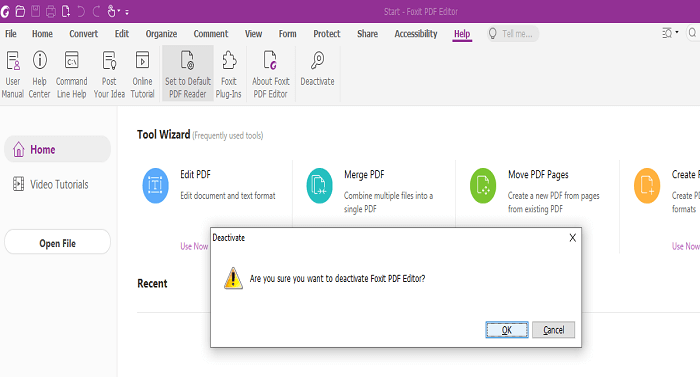
You can only deactivate your license if you're using the upgraded version of the application from version 7.3 upward.
#2: Transfer PhantomPDF to another Machine with Qiling Disk Master Free
Qiling Disk Master Free is a tool that transfers files, software, and images from one PC to another, providing a one-click solution to migrate files without data loss.
Qiling Disk Master allows you to migrate software from an old device to a new one, and it has a unique feature that lets you transfer Foxit PhantomPDF to the new PC without reinstalling it.
To use Qiling Disk Master, download and launch it on your device, and follow the interface prompts to migrate Foxit PhantomPDF between PCs without losing any data. The software automatically restores your files, ensuring a seamless transition.
After installing the software, you'll be prompted to choose between two modes. I suggest selecting the PC to PC mode, which allows for fast transfer of software and files between computers.
Step 1. Run Qiling Disk Master on both PCs
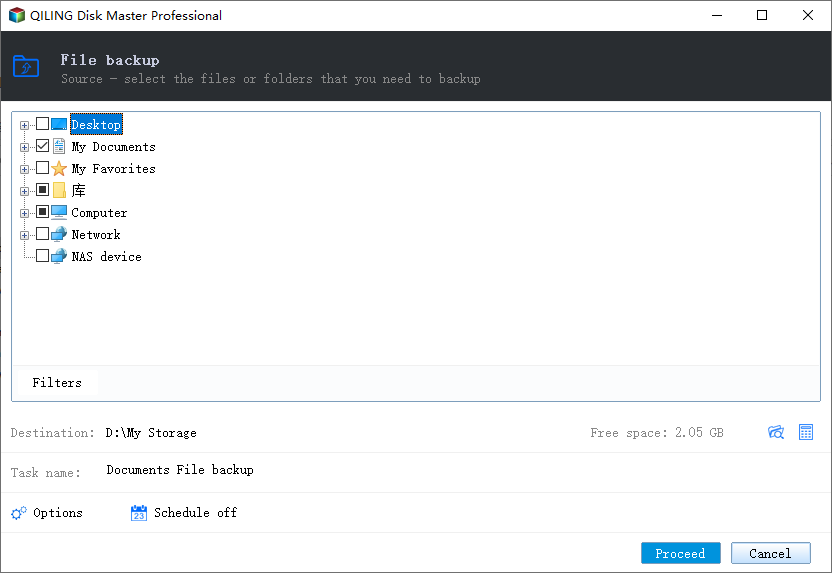
On the source PC, select "File sync" on the main screen of Qiling Disk Master and proceed.
Step 2. Connect two computers
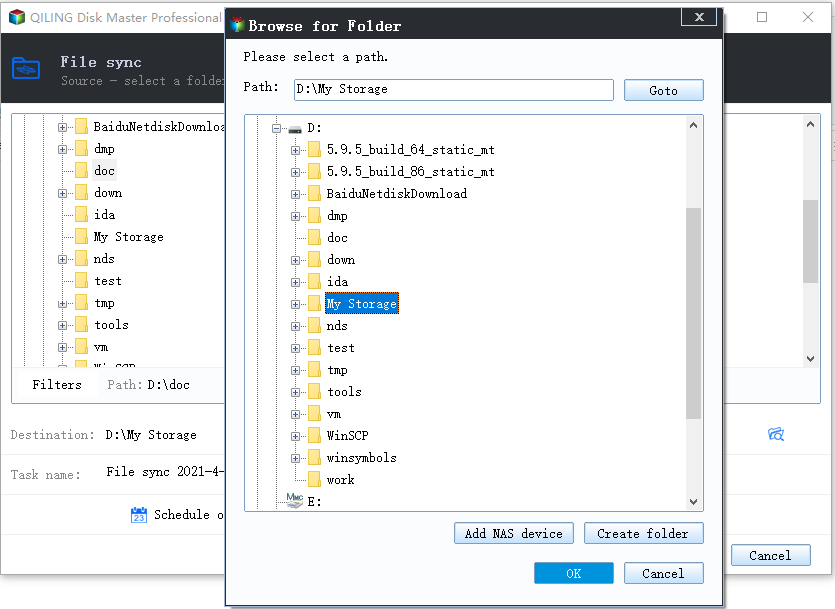
1. Connect to the target PC via its IP address or device name by selecting it and clicking "Connect".
2. To log into your target PC, enter the login password and click "OK" to confirm.
If you didn't see the target PC in the listed devices, you can manually connect the target PC by clicking "Add PC" and inputting its IP address or device name.
Step 3. Select apps, programs, and software and transfer to the target computer
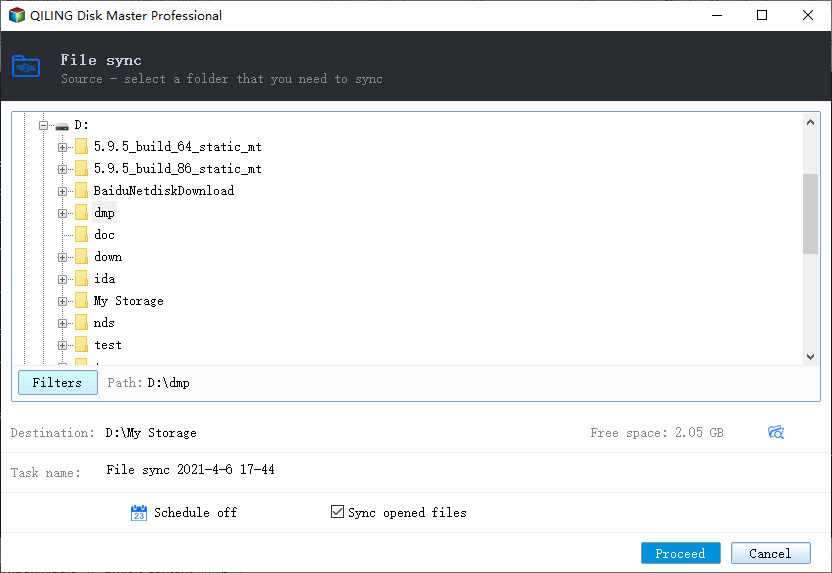
1. You can select and choose what you want to transfer from the current computer to the target PC, allowing for a tailored and efficient transfer process.
2. Once you have selected the desired applications and programs, click on the "Transfer" button to initiate the transfer process.
#3: Activate Foxit PhantomPDF on New Computer
After deactivating Foxit PhantomPDF on your old computer, install the application on your new computer and follow these steps to activate it. To start, simply open the application on your new computer.
- Launch Foxit PhantomPDF and select Activate and click Sign In.
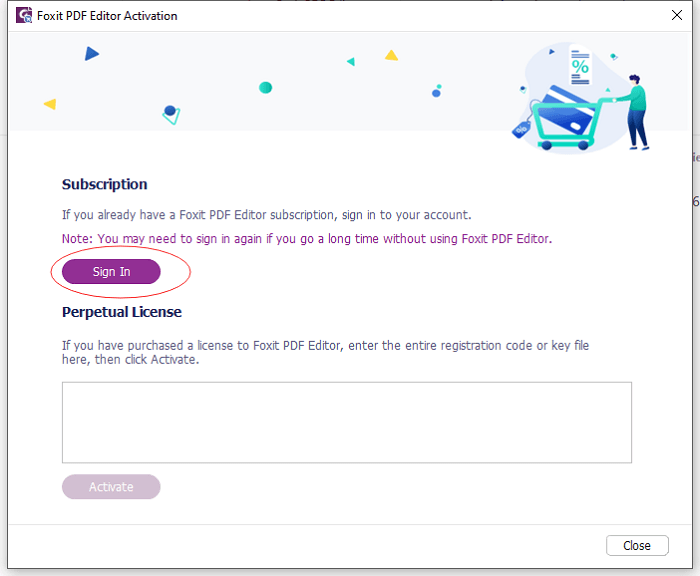
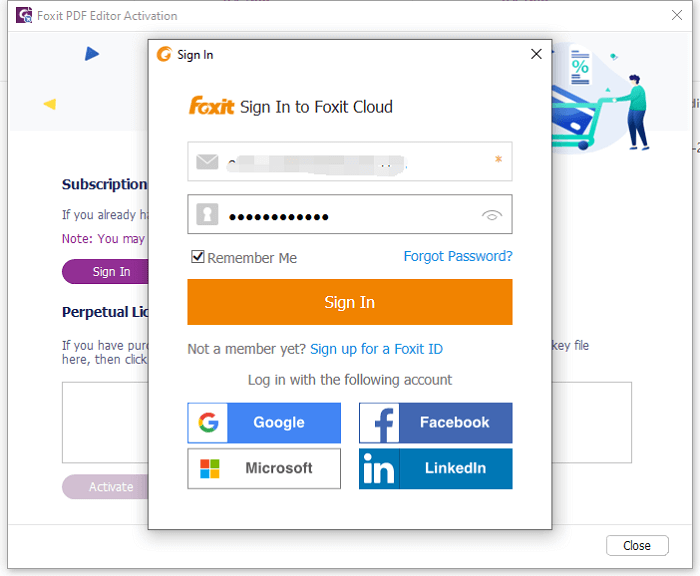
- Type in the Foxit PhantomPDF you used in purchasing the subscription.
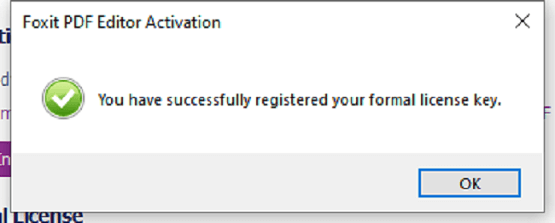
- A confirmation text will display, reading "You have successfully registered your formal license key". Click OK to accept.
- Next, click OK to restart the Foxit PhantomPDF.
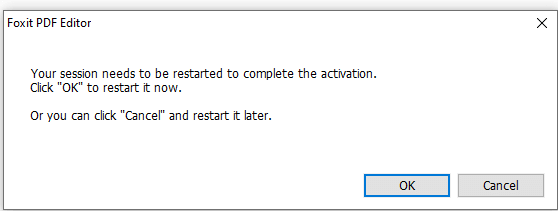
Once this process is completed, your subscription is activated automatically.
How to Find Foxit PhantomPDF License Key
License keys are required for software activation, reactivation, and to determine software expiry dates or serial key status. They are often needed when installing new software, reinstalling, or changing the software's installed location.
To locate the Foxit PhantomPDF license key, use a product key finder like Qiling Disk Master, which will quickly scan and find the license code of the software at a click.
Step 1. Launch and run Qiling Disk Master on the PC, and select "Product Key" from the left panel.
Step 2. After clicking "Scan", the product keys of Windows, Adobe, and Office can be viewed. You can save the keys to a chosen location or copy them directly for use.
To Sum up
Migrating software to a new system is a relatively straightforward process if you have the necessary information and tools, and it's worth noting that a software license key will be required for its reactivation after being transferred.
When moving an application to a new computer, it's crucial to locate and back up your software license key, which can be safely stored using a reliable tool like Qiling Disk Master. This tool allows you to find your application license key and transfer all software and files from an old PC to a new one, ensuring a smooth transition.
Related Articles
- Best Method to Transfer WhatsApp Messages (PC/iPhone/Android)
- How to Transfer Candy Crush to New Computer [Beginner's Guide]
- How to Recover your Programs, Files, Accounts from a Broken Computer
- How to Run Windows 7 Games Hearts, Chess and More on Windows 11/10
- Back Up Windows 7 Computer to External Hard Drive
To backup Windows 7 computer files and data to an external hard drive or USB, follow these simple tips. By following these steps, you can easily back up your Windows 7 files and free up computer disk space with just a few clicks. - The Best Way to Backup Windows Server 2008 to NAS [2022 Tips]
if you will back up Windows Server 2008 to NAS. Qiling Backup makes it easy to back up Windows Server 2022/2019/SBS 2008/11.10,8,7. Read this guide and back up Windows Server to NAS drive with a complete guide.
Products
Articles & Tutorials
- Data Recovery
- Data Backup
- File Recovery
- File Backup
- System Backup and Restore
- Disk and Partition Clone
- Technical articles
- Mobile articles
- Disk Master Help
- Windows Data Recovery Tutorials
- Windows Secure Delete Tutorials
- Windows Partition Management Tutorials
- Windows File Backup and Restore Tutorials
- Windows System Backup and Restore Tutorials
- Windows Disk Backup and Restore Tutorials
- Windows Clone Tutorials