How to restore the system image to a computer with different or dissimilar hardware
Why do we recover the system to dissimilar hardware?
Migrating a Windows operating system to a new PC or hardware with different configurations can be a daunting task, especially when dealing with damaged hard disks, RAID controllers, or the need to deploy the same OS on multiple computers. However, with Qiling Backup, this process becomes effortless, allowing you to easily recover the system to different hardware, transfer it to another computer, and even migrate it from a physical to a virtual environment.
How to recover the system to dissimilar hardware with Qiling Backup?
Before restoring the system to dissimilar hardware or other PCs, ensure you have a Windows system image backup and that the drivers are compatible with the new hardware. If there are no compatible drivers, specify where to find the necessary drivers for the hardware.
To use Qiling Backup, you need to create a WinPE of Qiling Backup, which can be done by creating a bootable CD/USB/Disk. Once created, boot the computer with this WinPE, and the screen will guide you to enter into Qiling Backup.
Step 1. Open Qiling Backup, click the "Recovery" button on System Backup column.
To restore your system, click on the "Recovery" tab and select the backup you created in advance. Alternatively, click on "Browse for recovery" to manually locate the backup file.
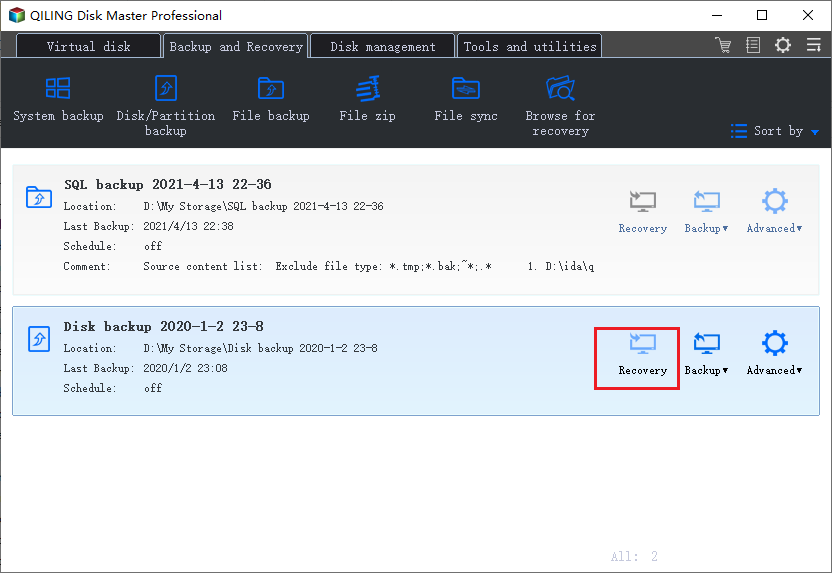
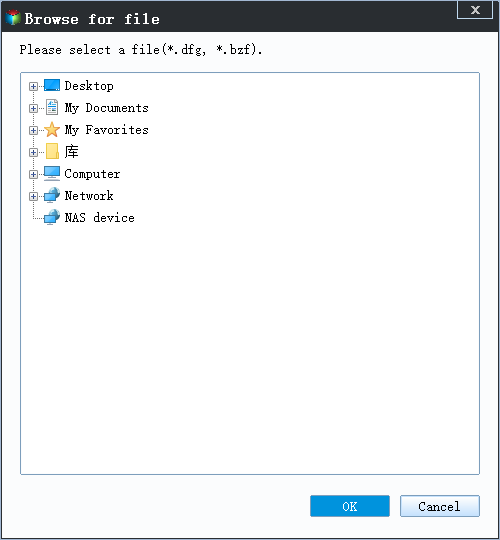
Step 2. Select the system image on your drive and click "OK" to continue.
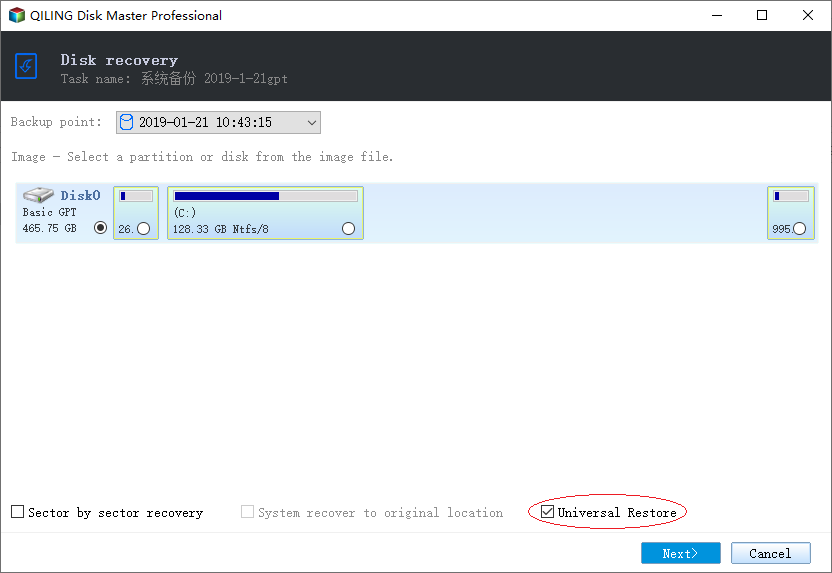
Step 3. Choose one History version of the backup image, after confirming the contents, click the "Next" button.
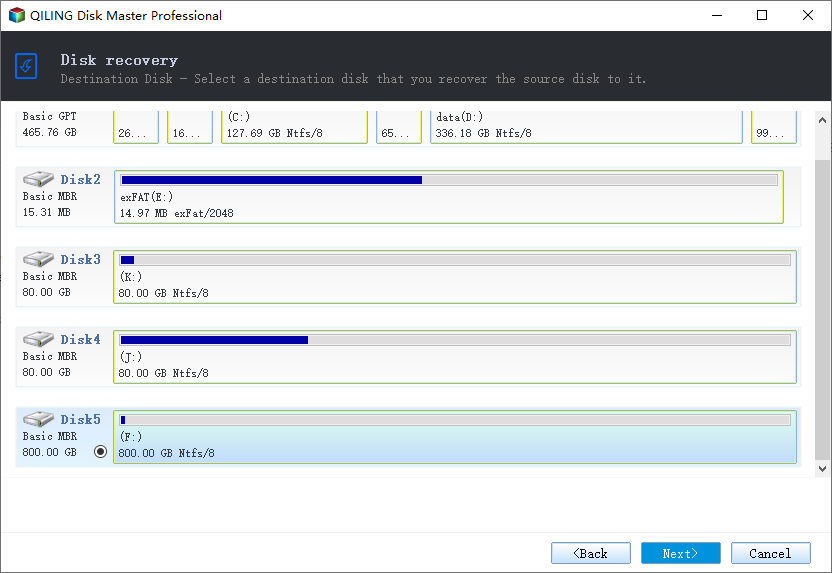
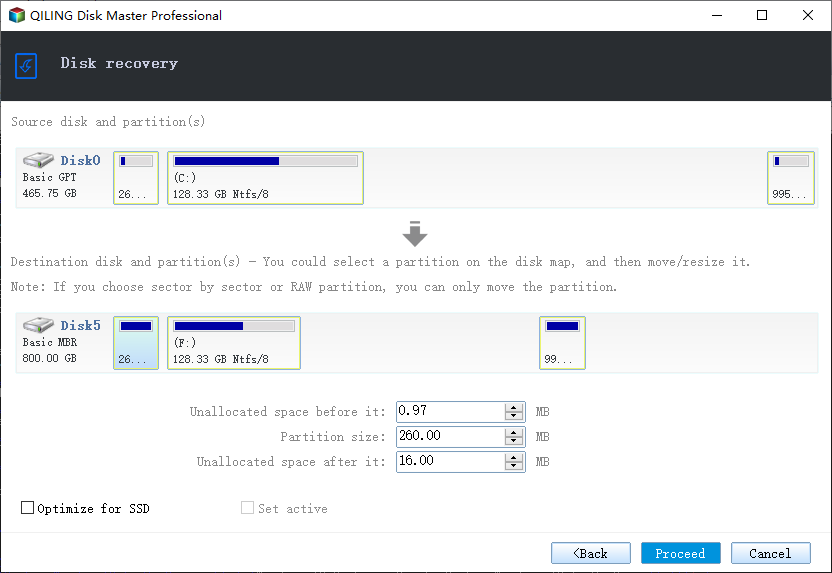
Step 4. Select the destination disk and click "Next" to continue.
Step 5. Click "Proceed".
Related Articles
- How to Clone Hard Drive for Disk Upgrade, Data Transfer, SSD Migration
- How to backup system with Qiling Backup
- 2021 Top Paid/Free Disk Cloning Software to Clone Disk
- Download Best SSD to SSD Cloning Software
- Transfer Windows 10 Installation to New Hard Drive
- How to Backup Lenovo Laptop Windows 10 [Four Best Solutions]
Backing up your Lenovo laptop Windows 10 is necessary to prevent data loss and system crashes. This article will introduce four methods to backup Lenovo Laptop Windows 10.
Products
Articles & Tutorials
- Data Recovery
- Data Backup
- File Recovery
- File Backup
- System Backup and Restore
- Disk and Partition Clone
- Technical articles
- Mobile articles
- Disk Master Help
- Windows Data Recovery Tutorials
- Windows Secure Delete Tutorials
- Windows Partition Management Tutorials
- Windows File Backup and Restore Tutorials
- Windows System Backup and Restore Tutorials
- Windows Disk Backup and Restore Tutorials
- Windows Clone Tutorials