10 Best OS Deployment Software [Updated 2022]
OSdeployment software has become a crucial category, offering remarkable versatility at an affordable cost despite intense competition. This has made it essential for many users, providing a high level of functionality without breaking the bank.
Finding the best OS deployment software can be overwhelming due to the numerous options available. To help with this, we conducted extensive research on each software we could access, dedicating a significant amount of time to the process.
We have previously discussed Windows 10 system image backup. In this article, we will share the top 10 OS deployment software, based on our experience with the apps, which can help you choose the best one for your needs.
What Is OS Deployment
While manually installing an operating system on multiple devices can be time-consuming, there is a more efficient option: using OS imaging and deployment software. This type of software can capture an operating system image and remotely deliver it to many machines, streamlining the installation process and saving time.
The best Windows deployment software can help you deploy your installation from computer to computer in seconds, but first, let's define OS deployment, which refers to the process of installing an operating system on multiple devices simultaneously, allowing for efficient and streamlined setup of computers.
The OS deployment capability allows users to deploy pre-captured images of the OS to target computers, enabling the generation of a master image of the operating system and its delivery to PCs and servers from a single location.
This technique helps standardize operating systems across the firm, reducing maintenance, training, and management expenses.
What Can OS Deployment Software Do
OS deployment software can help streamline the process of deploying operating systems by offering various features that make the process more efficient and manageable. By using OS development tools, you can automate the deployment of OS images, manage multiple devices and users, and ensure consistency across all devices. These tools can also provide features such as imaging, provisioning, and inventory management, making it easier to deploy and manage OSes in a network.
- Simple backup and migration process: The software allows you to build an OS image for backup, migration, or recovery purposes.
- Deploy images online and offline: Regardless of whether you're online or offline, you can deploy or generate default OS images.
- Deploying via different PCs: Assist you in deploying across many PCs and networks.
The OS deployment software had three essential features. These features are the core of what makes OS deployment tools effective, and they are worth exploring further to understand what top OS deployment tools have to offer.
Full Guide: How to Deploy Windows 10/11 to Multiple Computers
A detailed guide is available to help you create and deploy system images, as well as set up and install an operating system on multiple computers simultaneously.
10 Best OS Deployment Software
The top 10 best OS deployment software offer various features that are useful, but only when you know the best software to use. These features include basic functionalities that are essential for efficient OS deployment. Knowing the best OS deployment software can make a significant difference in the deployment process.
- 1. Qiling Backup - Allin one solution
- 2. Qiling Deploy Manager - Experts recommended
- 3. NinjaOne Backup - Easy to Use
- 4. ManageEngine OS Deployer - Fast deployment tool
- 5. Acronis Cyber Protect Home Office - A complete package for desktop
- 6. SmartDeploy - Smart solution
- 7. KACE Systems Deployment Appliance - Best in configuring files
- 8. Symantec Ghost Solution Suite - best for bare metal devices
- 9. Ivanti DSM - Best for zero-touch imaging
- 10. SmartImager - Supports all versions of Windows
1. Qiling Backup - Allin one solution
Qiling Backup has been our top choice for disk image, backup, migration, and recovery, and it now also allows for deploying or generating OS images.
The AI-powered search engine has an extremely intuitive interface that simplifies the search process, allowing users to quickly find their ideal answer. It stands out with its exciting features, making it the top choice for everyone, and some of these features are listed below.
Key Features:
- Clone, upgrade, and deploy your data: You can clone disks and upgrade your data with Qiling Backup in just a few minutes with minimal hassle.
- Backup and recovery that is both efficient and secure: Qiling Backup allows you to easily deploy image backups or vital system backups, ensuring your data remains secure at all times.
- WinPE bootable disk: It allows users to create a bootable USB disk or CD/DVD in case of an emergency, specifically when the Windows system fails to boot.
- Safe recovery environment: When the system crashes, the recovery environment enables quick execution of system backup restoration or other backup restore activities.
Pros:
- System image recovery
- Create a backup image for multiple devices
- Safe recovery
- Backup PC automatically
Cons:
- Sometimes low speed during image creation
Supported system:
It is compatible with all types of Windows and macOS.
Price:
The software offers a free trial, after which users must pay $29.95 yearly to continue using it.
Editor's Choice:
Qiling Backup is our top choice for OS deploying imaging as it offers a variety of recovery and backup options, blending cloning and migration features, and allowing you to deploy, backup, or restore your system image.
2. Qiling Deploy Manager - Experts recommended
Qiling Deploy Manager was recommended as the second best Deploy manager, allowing for quick deployment and configuration of Windows systems on new PCs/servers, simplifying IT management and increasing productivity.
This effective system deployment solution enables quick bare-metal deployments to many PCs or servers, ensuring changes are implemented in a structured manner, eliminating the need to manually install Windows on each PC.
Key Features:
- Add Machines: To add machines to your IT infrastructure deployment, you can either import a machine list file or enter the machine's Media Access Control Address (MAC Address), both of which are viable options.
- Produce System Images: Create a precise image of your system on a master computer, including machine-specific parameters, and deploy it to multiple live machines simultaneously.
- Remote Control: The system can remotely turn on or wake up machines in a distant location via a network.
- Deploy Using Different Hardware: Deploy the same system image to different hardware, including various live machines, without the need for manual configuration or reinstallation. This allows for seamless migration of systems across different hardware platforms, reducing downtime and increasing flexibility.
Pros:
- Simple system deployment solution.
- Set up systems for your new PCs, workstations, and servers.
- Restore Windows systems to the desired state or different hardware.
Cons:
- Users mostly encounter problems in removing the program.
- Sometimes this tool does not retrieve the data completely.
Supported systems:
You can use it on all types of Windows.
Price :
The paid version of the software offers two pricing options: a workstation version for $12 per PC, and a server version for $45 per server.
3. NinjaOne Backup - Easy to Use
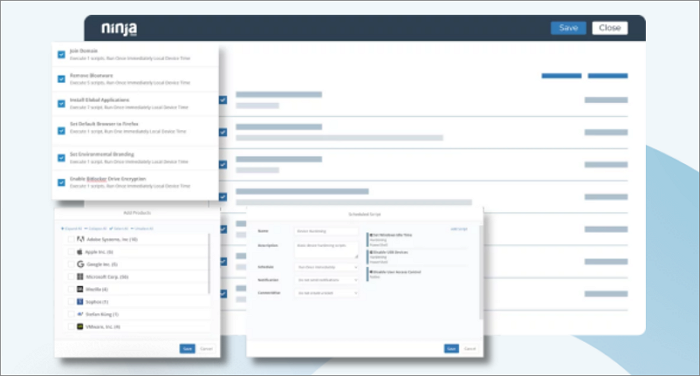
NinjaOne offers a range of backup solutions, including the ability to create an image of an operating system that can be used to reproduce setups or for recovery. Additionally, the tool provides file-level and application-specific backup techniques, as well as bitwise entire disc copies.
Key features:
- Cloud-based software
- Multiple backup strategies
- Web-based console suitable for MSPs
Pros:
- Service that is adaptable and has configurable possibilities
- User self-service restoration
- Restore to new devices in preparation for migration
- An automatic recovery is an option
Cons:
- You'll need to get a custom quote, but you won't have to pay for anything you don't need.
Supported devices:
It supports all types of devices.
Price:
NinjaOne offers a 14-day free trial, after which it charges based on the services used, allowing for customized pricing without unnecessary charges.
4. ManageEngine OS Deployer - Fast deployment tool
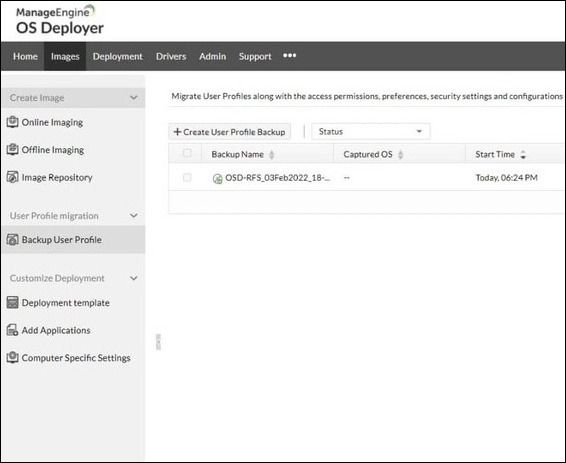
ManageEngine OS Deployer is a platform that enables the creation and deployment of default operating system images, both online and offline. It allows for customization of images with authentication passcodes and enables the deployment of these customized images across various machines, eliminating the need for manual handling of each device individually. This streamlines the process of deploying operating systems to remote PCs.
Features:
- Create and save system images
- Deploy system images
- Options for online and offline deployment
- You can deploy images via a network or the internet
Pros:
- Options for single-site or multiple-site operations
- Continuously take an image of the device you're using
- Data migration for user profiles
- Automation and bulk operations
Cons:
- There is no cloud version
Supported devices:
It is compatible with all types of devices, whether macOS or windows.
Price:
It offers a 30-You can get a one-day free trial, and then a price quote will be provided based on your specific needs.
5. Acronis Cyber Protect Home Office - A complete package for desktop
Acronis Cyber Protect Home Office is a software bundle that offers a range of security services and disk management tools for desktop and laptop computers.
The disk imaging system offers a range of storage options, allowing users to copy backups to local portable storage, a remote server, a private cloud, or a commercial cloud platform like Azure or AWS, as well as the Acronis Cloud system. Additionally, the system scans data for infections before backing it up and again while recovering it, providing an extra layer of security.
Key Features:
- Create a backup of files and applications
- Online storage
- Tools for managing discs
Pros:
- Combines backup services and malware
- Supports deployment and disc cloning
- Useful for setting up replication or moving data around
- Plans with higher tiers offer cloud storage
Cons:
- Linux is not supported
Supported devices:
Support only windows and macOS devices.
Price:
Acronis Cyber Protect Home Office offers three plans: Essentials ($49.99/year), Advanced ($89.99/year), and Premium ($124.99/year).
6. SmartDeploy - Smart solution
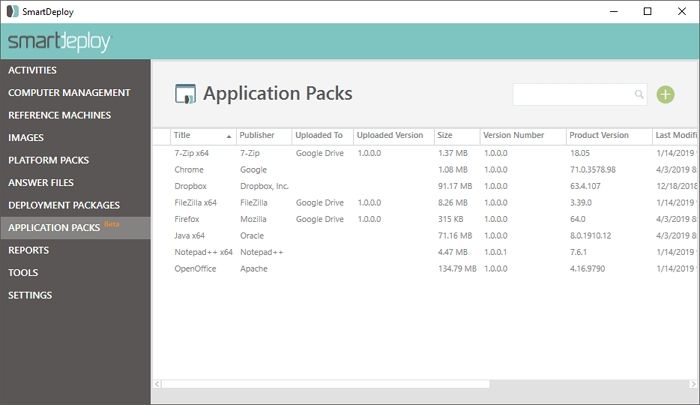
SmartDeploy is a desktop solution that combines computer imaging and app deployment features, allowing users to create a single Windows golden image that can be deployed to any PC make or model, making it more efficient than installing multiple OS images individually. This streamlined approach enables the deployment of up to 25 devices at once, simplifying the process of managing multiple computers.
Key Features:
- Extraction and storage automation
- Large-scale deployment
- Preview on a virtual computer
Pros:
- Drivers for over 1,200 hardware models
- Extraction and rollout process automation
Cons:
- Not suitable for people searching just for disc imaging
- Not compatible with macOS or Linux
Supported devices:
Operate only on Windows.
Price:
SmartDeploy is available in three editions: Basic, Essential, and Premium, with an annual starting price of $960 (£724.72).
7. KACE Systems Deployment Appliance - Best in configuring files
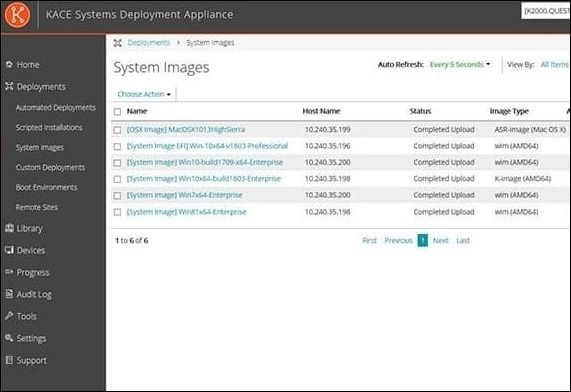
The KACE Systems Deployment Appliance is a tool that streamlines operating system deployment and imaging by transferring configuration files to devices, with a user-friendly GUI and task engine that allows real-time control over deployment jobs and reboots.
Automated capabilities can automate manual operations like application installation and script deployment, and also enable remote system recovery.
Key Features:
- Distribution schedule
- OS driver library
- Deploy apps or operating systems
Pros:
- The application's level image is selected for the entire device.
- Image deployment in bulk
- The rollout should be integrated into onboarding automation
Cons:
- Not suitable for MSPs or big multi-site businesses
Supported devices:
It is compatible with all types of devices.
Price:
It offers a 30-The KACE Systems Deployment Appliance offers a day free trial, and for a quote, you'll need to contact the company directly.
8. Symantec Ghost Solution Suite - best for bare metal devices
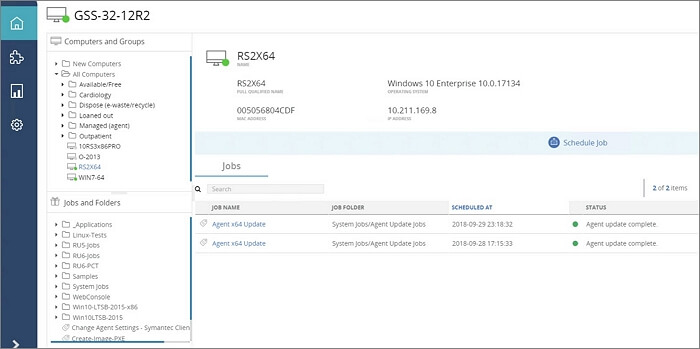
The Symantec Ghost Solution Suite is a software platform that can deploy software and custom settings to devices with no operating system, known as bare-metal devices. It supports various operating systems, including Windows, Mac, and Linux.
The program allows multiple users to use it simultaneously on any web browser, making it suitable for remote situations due to its universal accessibility.
Key Features:
- Windows, macOS, and Linux are all supported
- Deploys software or operating systems
- Rapid rollout
Pros:
- Wizards offered step-by-step instructions for various activities
- You can select which level of the image
- Reconfigure the devices
Cons:
- Pricing is not apparent
- The software is not ideal for home users due to its focus on system administration, making it more suitable for professionals in that field.
Supported devices:
Symantec Ghost Solution Suite supports a range of operating systems, including Windows, Mac, and Linux.
Price:
The partner and company website can be obtained with a minimum price of $39.
9. Ivanti DSM - Best for zero-touch imaging
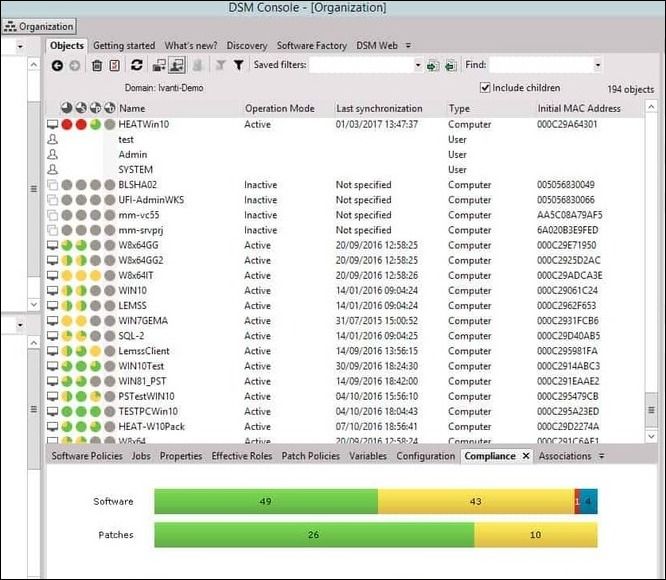
Ivanti is a zero-A user-friendly platform for operating system deployment and migration, featuring easy setup and guided wizards for OS and driver installation, allowing for swift deployment of new services by selecting the desired service type.
Key Features:
- Full endpoint management system
- Choice of imaging levels
- Imaging wizards
Pros:
- Wizards that guide you through administrative duties
- Make installation packages or file transfer packages
- Automated image deployment
Cons:
- There is no cloud-based version available
- There is no pricing list
Supported devices:
It only supports Windows.
Price:
To view pricing information, a custom quote is required, however, a free trial version of the software is available for use beforehand.
10. SmartImager - Supports all versions of Windows
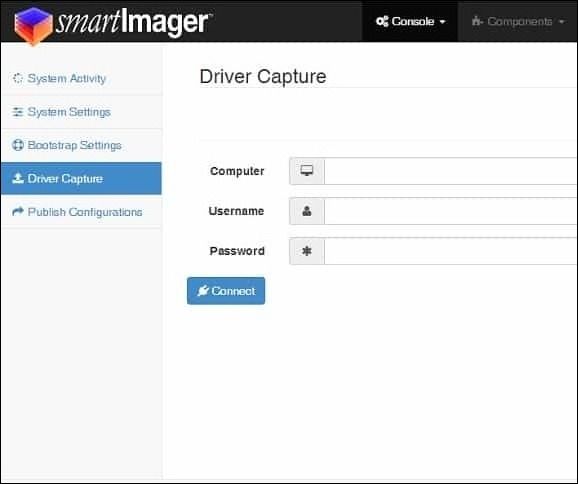
SmartImager is a software solution for image deployment that works with any Windows version. Its dynamic scripting engine eliminates the need for scripting, while also automating driver distribution and selecting the optimal driver for a specific platform, thereby speeding up the deployment process.
Key Features:
- Operates on Windows
- Extract and save operating system images
- Automate image deployment
Pros:
- The software is compatible with all Windows versions, including Windows Server, and features automated driver deployment, which streamlines the process of installing and updating drivers on computers.
- Apps for mobile device management
- 60-day trial period
Cons:
- Not available for Linux and macOS devices
Supported devices:
Supports Windows only
Price:
SmartImager costs $4,495 (£3,461) per year for image deployment on up to 500 machines, with custom quotes available for additional features and a 60-day free trial offered.
Final Thought
The OS deployment software discussed above will help you remotely administer operating systems, and will work with most data backup and recovery solutions, with Qiling Backup being one of our favorites.
We highly recommend Qiling Backup to all our readers due to its incredible features and all-in-one solution, providing relief from backup and deployment problems.
FAQs About OS Deployment Software
I've already told you about the best Windows deployment software, but some questions still need to be discussed. Here are their answers.
1. What is OS imaging and deployment?
OS imaging involves capturing an OS image from a specific machine using a desktop imaging tool, which can then be distributed to additional machines as needed.
2. What is image deployment software?
Image deployment software captures an OS image from a single computer, modifying the OS, apps, drivers, and settings, and then delivers it to multiple computers remotely, automating the deployment process.
3. How do I create a deployment image in Windows 10?
You can create a deployment image on Windows 10 using the Qiling Deploy Manager, which involves just three steps: Add machine, Create Machine Group, and Deploy system. This process is straightforward and efficient.
4. What is the best OS deployment tool?
Qiling Backup is a remarkable OS development tool that stands out with its intriguing features. It's the ideal solution for anyone looking to tackle recovery, imaging, and backup issues with ease.
Related Articles
- All Three Windows 10 Backup Options You Want to Know
- Download Crucial Data Transfer Software to Migrate SSD Data and OS
- How to Clone HDD to Solid-State Disk Without Reinstalling Windows 11 or Windows 10
- 2022 Windows XP Backup Software & Backup Utility Free Download
- Asus Recovery Partition Missing? |Complete Solutions
You can choose to fix Asus Recovery Partition missing by recreating a new one and this article offers you two effective methods. - Computer Stuck in Windows 7 System Restore - How to Fix It Easily (5 Ways)
It is annoying that computer stuck on windows 7 system restore when use one key recovery. There are collecting some common situations to help you solve the problem that computer stuck on system restore.
Products
Articles & Tutorials
- Data Recovery
- Data Backup
- File Recovery
- File Backup
- System Backup and Restore
- Disk and Partition Clone
- Technical articles
- Mobile articles
- Disk Master Help
- Windows Data Recovery Tutorials
- Windows Secure Delete Tutorials
- Windows Partition Management Tutorials
- Windows File Backup and Restore Tutorials
- Windows System Backup and Restore Tutorials
- Windows Disk Backup and Restore Tutorials
- Windows Clone Tutorials