How to Backup Your Computer - Cloud Storage or Backup Software?
Your computer and hard drive contain a lot of valuable data, but you might not realize its true value until a hard drive failure or other disaster makes your files inaccessible. When talk turns to backing up files, many people think it doesn't concern them, but disaster can strike at any moment, and anyone can be affected. It's a hard lesson to learn, but losing data without a backup is a costly mistake.
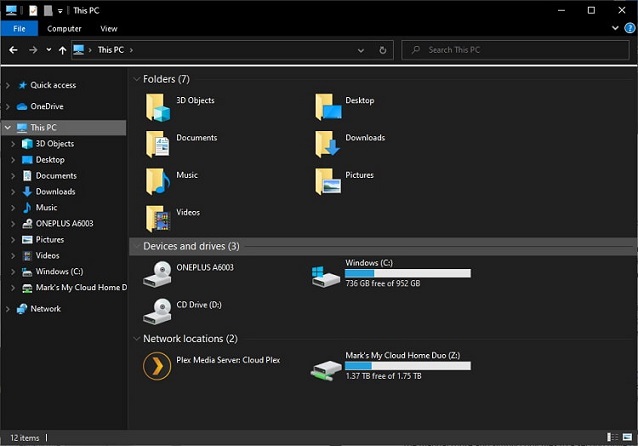
Having a computer backup plan in place is essential for everyone, not just businesses, to prevent loss of important files and data in case of a system failure or other disaster.
How and What to Backup for Your Computer?
To ensure your computer is properly backed up, consider what needs to be safeguarded, including personal and business documents, photos and videos, emails, and files downloaded from the internet. This will help you create a comprehensive backup plan.
There are various ways to back up a hard drive, including manually copying files to a second drive or network device, but this method requires remembering to create new backups regularly to ensure all recent files are protected.
Cloud Storage - Automated, but with Limited Storage
Another option is to use cloud storage, which offers synchronization tools that can copy the contents of one or many folders to online storage, providing advantages such as convenience and accessibility.
Firstly, The entire process is automated, so you don't need to worry about manually creating backups, as everything is taken care of automatically.
Secondly, Files are saved to cloud storage as soon as they are created, reducing the risk of loss or corruption before the next backup.
Thirdly, Your backup is stored away from your computer, providing a safe haven for your data in case of theft, fire, or other disasters.
Cloud storage, offered by companies like Microsoft and Google, provides a certain amount of free space, but it's unlikely to be enough to store all necessary files, so a paid subscription is often required.
Computer Backup Software - More Flexible and Full-featured
Using a dedicated backup tool is the best approach for most people. Automating the backup process eliminates the risk of forgetting to update a backup, and it's easy to customize a backup job to include new files and storage locations. Backup software is also much faster than manual backups, which can be time-consuming and prone to errors. It can compare the state of a file on your hard drive with its backup and only save changes made since the last backup, significantly reducing the time required. Qiling Backup is a great option for those in need of reliable backup software.
Qiling Backup is a well-A user-friendly backup tool that not only allows for full backups but also utilizes faster incremental and differential backup methods, making it easy to create regular backups.

Qiling Backup - Most People's Choice to Backup Computer
Qiling Backup's System Backup option is the easiest way to backup your computer, allowing you to compress backups to save space, although this will slow down the process. You can also encrypt and password-protect backups for added security. If you plan to use your computer during backup, you can reduce Qiling Backup's priority to minimize disruption. Additionally, you can limit network transfer speed if backing up to a network location to avoid slowing down other users.
Scheduling your backups is just as important as creating your initial backup. Qiling Backup makes it easy to set a schedule that suits your needs, allowing you to choose how often to update your backups, whether it's daily, weekly, monthly, or any other frequency that works for you. You can also opt to retain multiple versions of your files, keeping backup images until your storage space is full, at which point the oldest image will be automatically deleted to make room for new backups. This flexibility ensures that your backups stay up-to-date and that you have a reliable safety net in case of data loss.
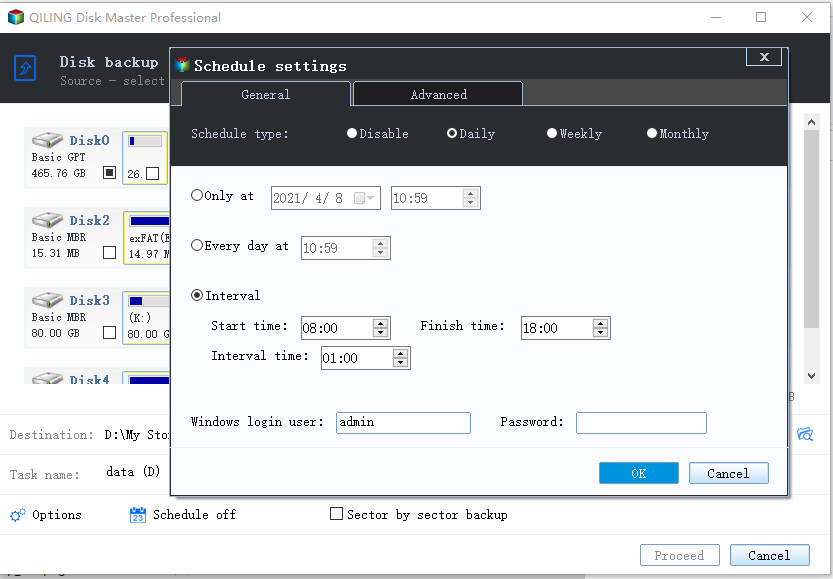
For those with slightly greater needs or using a Mac, Qiling Backup Home and Qiling Backup For Mac are great options. These paid versions offer additional features, including the ability to clone an entire system, transfer data between computers, and back up and recover Outlook emails.
Backing up your data is crucial to prevent losing important information in case of a device failure, theft, or other unexpected events. It's like having a safety net that protects your memories, files, and work.
Related Articles
- Run Disk Clone Windows 10 with Qiling Backup
- Is Norton Ghost 15 Crack with Serial Key 100% Working
- Make External Hard Drive Bootable in Windows 10
- Back Up Windows 7 Computer to External Hard Drive
- Transfer Files from Mega to OneDrive
If you're looking to transfer files from Mega to OneDrive, there are two clear ways to do so. The first is the manual method, which involves downloading files from Mega and then uploading them to OneDrive. - How to Transfer Files from PC to PC over WiFi [Easy & Fast]
This article demonstrates how to transfer files from PC to PC over WiFi. There are a couple of different ways you can go about transferring files between two PCs over WiFi.
Products
Articles & Tutorials
- Data Recovery
- Data Backup
- File Recovery
- File Backup
- System Backup and Restore
- Disk and Partition Clone
- Technical articles
- Mobile articles
- Disk Master Help
- Windows Data Recovery Tutorials
- Windows Secure Delete Tutorials
- Windows Partition Management Tutorials
- Windows File Backup and Restore Tutorials
- Windows System Backup and Restore Tutorials
- Windows Disk Backup and Restore Tutorials
- Windows Clone Tutorials