How to Clone Windows 10 Operating System
How can I clone the Windows 10 operating system
Here's a detailed guide to help you migrate Windows 10 from a hard disk drive (HDD) to a solid-state drive (SSD) without reinstalling the operating system and applications:
Windows 10 has been a success since its release, with many users upgrading to the new system or making a clean install. However, sometimes users need to clone their Windows 10 operating system, such as when upgrading to a new computer, replacing an old HDD with a newer one, or switching to an SSD. For those unfamiliar with system cloning, Qiling system cloning software is a recommended tool that can help with the process, and a step-by-step guide on how to use it to clone Windows 10 is provided here.
Steps to clone Windows 10 operating system with Qiling Windows cloning software
Qiling is a third-party Windows backup software that allows for file backup, system backup, partition backup, and disk clone. It can be used to clone an OS in Windows 10 via a fast and efficient disk to disk clone job.
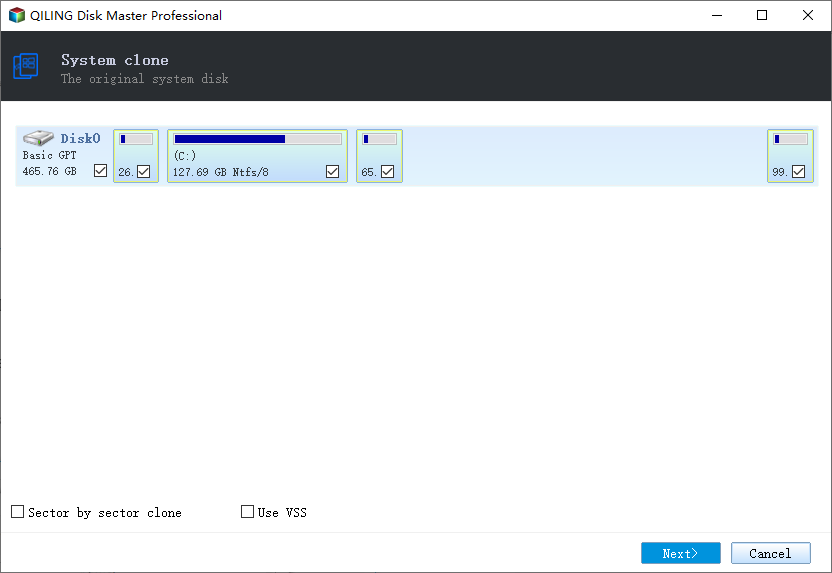
Step 1. Launch Qiling Backup and click "System Clone". The current system partition and boot partition (Windows 10) will be automatically selected, and clicking the "Next" button will continue the process.
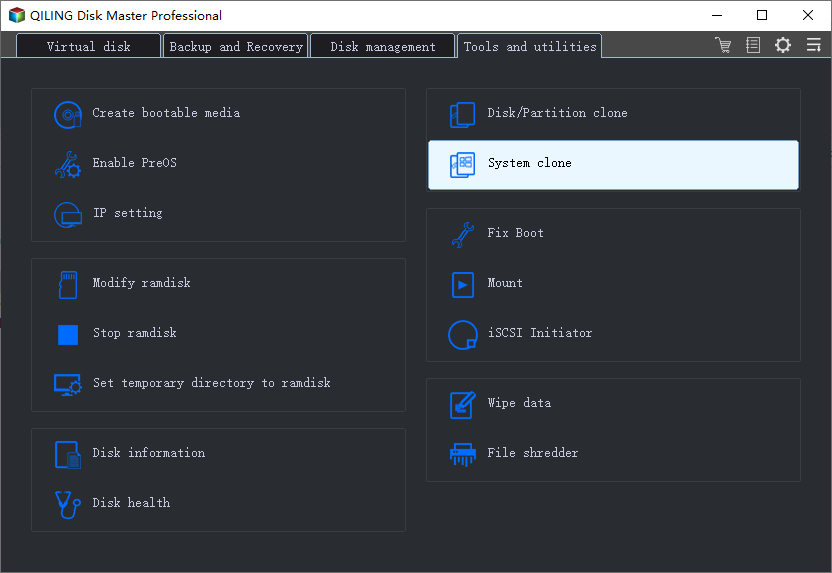
Tips: System Clone is not available for use when the system partition and boot partition are located on the same drive.
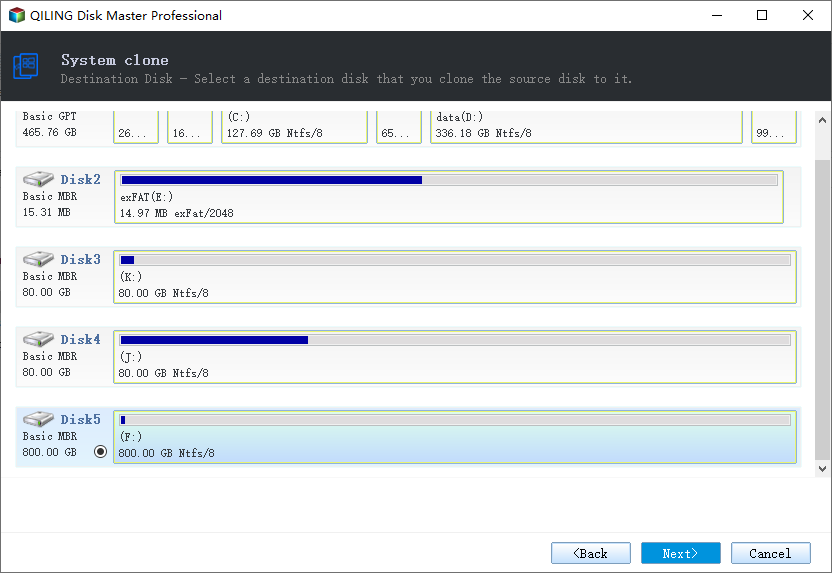
Step 2. Choose the target drive - It could be a hard drive or an SSD, and click "Next" button to continue.
Step 3. Click "Proceed" to start cloning Windows 10.
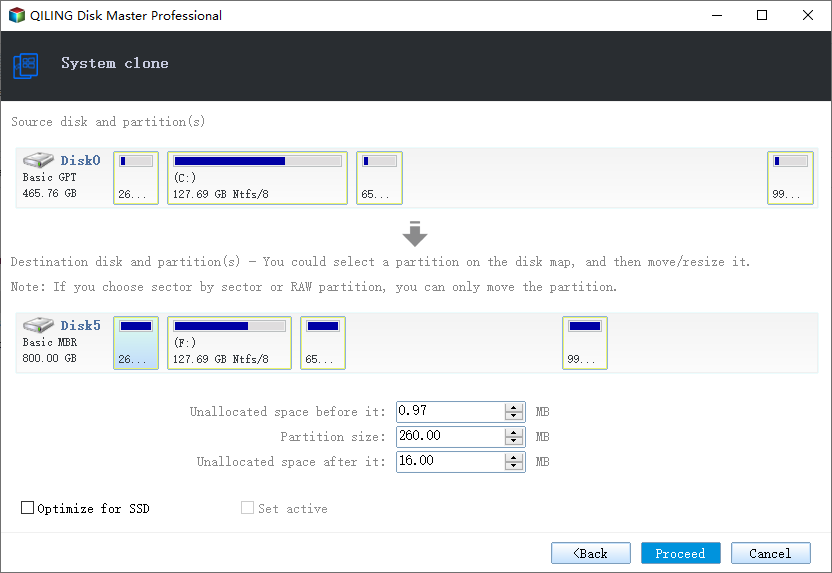
After the process is completed, please reboot your computer to your target drive.
For cloning Windows 10 to a second drive on the same PC, read Is It Safe to Clone Windows 10 to a New Drive on the Same PC?
Related Articles
- How to Ghost Hard Drive in Windows 10
- How to Automatically Backup Files to An External Hard Drive in 3 Ways
- How to Clone a Hard Drive on Windows & Mac [2021]
- How to Clone Server Hard Drive on Windows Server 2019/2016/2012
- How to Burn ISO File to Disc?
This article shows you how to burn ISO files to USB flash drive and CD/DVD with various burning software. - How to Auto Clone Hard Drive: The Solution to Free Your Hands
Cloning a hard drive can save time and effort compared to manual operation. By setting a scheduled clone time, Qiling Backup automatically creates a duplicate of the hard drive, ensuring minimal downtime in case the original fails.
Products
Articles & Tutorials
- Data Recovery
- Data Backup
- File Recovery
- File Backup
- System Backup and Restore
- Disk and Partition Clone
- Technical articles
- Mobile articles
- Disk Master Help
- Windows Data Recovery Tutorials
- Windows Secure Delete Tutorials
- Windows Partition Management Tutorials
- Windows File Backup and Restore Tutorials
- Windows System Backup and Restore Tutorials
- Windows Disk Backup and Restore Tutorials
- Windows Clone Tutorials