How to Clone a Bootable Hard Drive in Windows 10/8/7
Overview of Cloning Boot Drive
Cloning a hard drive for Windows 10 involves creating an exact copy of the bootable hard drive, including the operating system and other files, either by cloning the entire disk or just the partition(s) containing the OS and boot files.
Here are the advantages of a bootable clone:
- Upgrade the low-To transfer an operating system to a new hard drive without reinstalling, you'll need to clone the existing hard drive to the new one. This can be done using specialized software like Qiling Backup.
- Clone the operating system from the hard disk drive (HDD) to a smaller solid-state drive (SSD) to take advantage of faster read and write speeds, as well as improved stability and overall performance.
- In the event of an unexpected system failure, backing up your operating system can be a lifesaver. This allows you to revert to a cloned version, ensuring that your precious data remains intact, even if your system is unable to boot properly.
The Best Software to Clone Bootable Drive
To take advantage of the conveniences of a bootable clone, it's essential to choose the right tool. For a simple and safe cloning process, we recommend using Qiling Backup software, which offers a "System Clone" feature. This tool allows you to clone your boot drive, including the system and boot partitions, with just a few clicks, making it ideal for migrating Windows 10 to another hard drive or computer.
How to Clone Bootable Hard Drive for Windows 10/8/7
To clone a bootable hard drive, you'll need a few tools and some basic knowledge of computer hardware. First, you'll need a blank hard drive that's the same size or larger than the one you want to clone.
Preparation:
- A destination drive that is the same size as or larger than your resource hard drive is called a backup drive. It is used to store a copy of your data, in case your original drive fails or is damaged.
- In case of any accidents, make a full backup of your important data to ensure your files and data are safe.
To clone the bootable hard drive, download Qiling Backup and follow the detailed guide below.
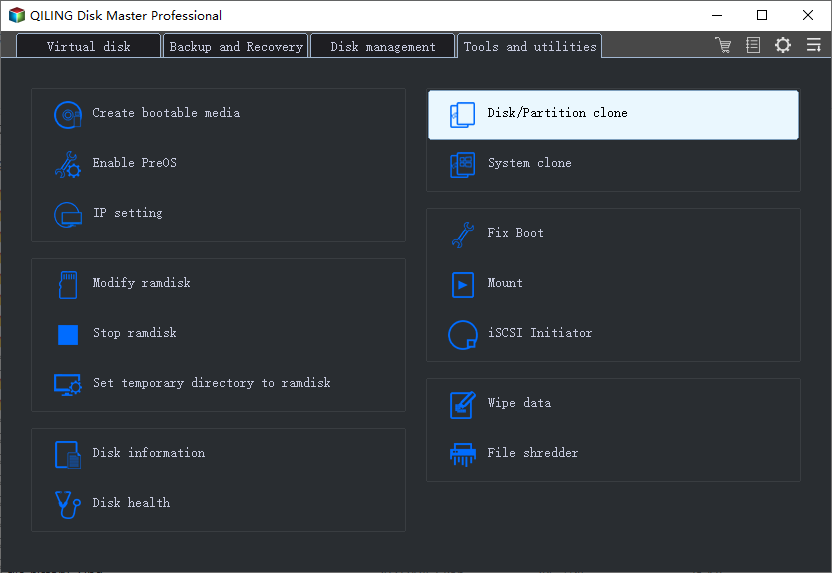
Step 1. Launch Qiling Backup and click "System Clone" in the tool page.
Step 2. The current system (Windows 10) partition and boot partition will be automatically selected, and click Next.
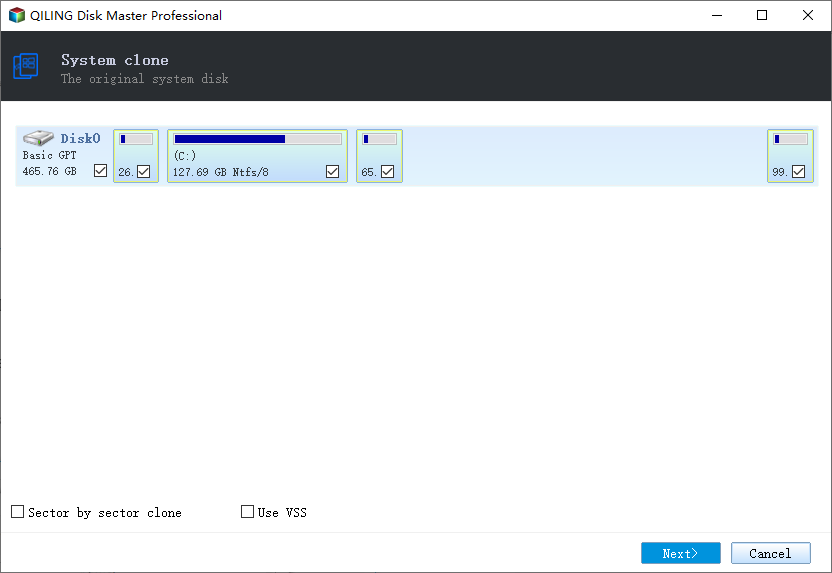
Tips: System Clone is not available for use when the system partition and boot partition are on the same drive.
Step 3. Choose the target drive - It could be a hard drive or an SSD.
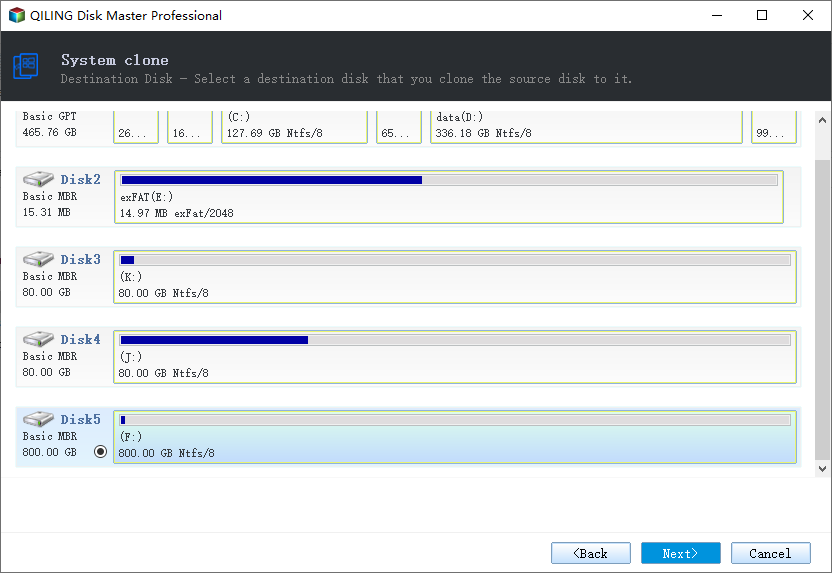
Step 4. Preview the disk layout to confirm the settings of the source and destination disk, then click "Proceed" to start cloning Windows 10.
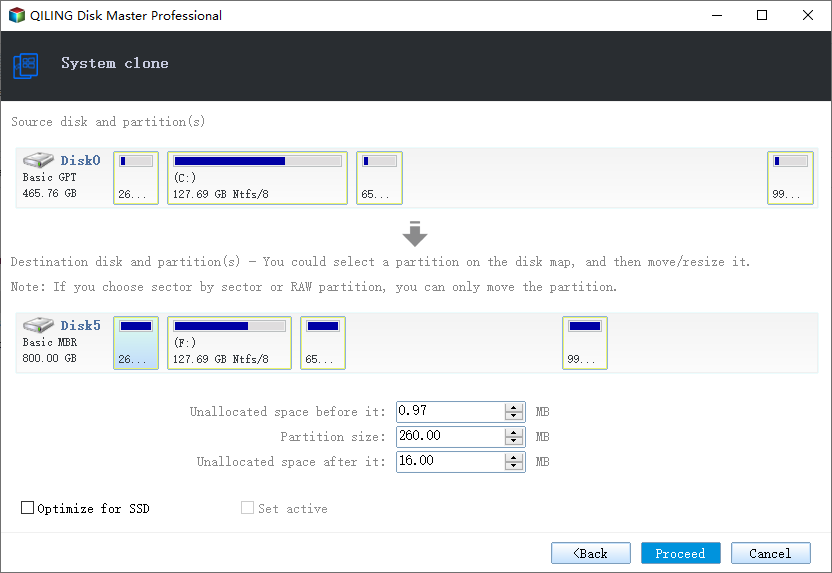
After completing the process, please reboot your computer to your target drive. This will finalize the changes and ensure your system is running smoothly on the new drive.
Don't Hesitate! Start Cloning Now
For those who want to clone their boot drive, we recommend using Qiling Backup, a handy tool that makes it easy to upgrade to a new hard drive with just a few clicks, eliminating the difficulty of this task.
Qiling Backup is renowned for its great abilities of file backup, cloud backup, and disk/partition backup, allowing you to make a full backup, scheduled backup, or a smart backup to protect frequently changed data. You can download Qiling Backup now and ease your data management.
Related Articles
- How to Migrate or Copy User Profile in Windows 10 to Another Computer
- How to Clone Hard Drive in Windows 7 32 Bit or 64 Bit to Another Hard Drive
- How to Copy HP Recovery Partition to New Hard Drive
- USB Bootable Software & Bootable USB Creation Tool
- 7 Best Free Imaging Software for Windows 10/8/7
- Solved: Lenovo NOVO Button Not Working in Windows 10, 8, 7
NOVO button not working for system recovery in Windows 10, 8, 7? Find solutions here and get better way to perform Lenovo system recovery.
Products
Articles & Tutorials
- Data Recovery
- Data Backup
- File Recovery
- File Backup
- System Backup and Restore
- Disk and Partition Clone
- Technical articles
- Mobile articles
- Disk Master Help
- Windows Data Recovery Tutorials
- Windows Secure Delete Tutorials
- Windows Partition Management Tutorials
- Windows File Backup and Restore Tutorials
- Windows System Backup and Restore Tutorials
- Windows Disk Backup and Restore Tutorials
- Windows Clone Tutorials